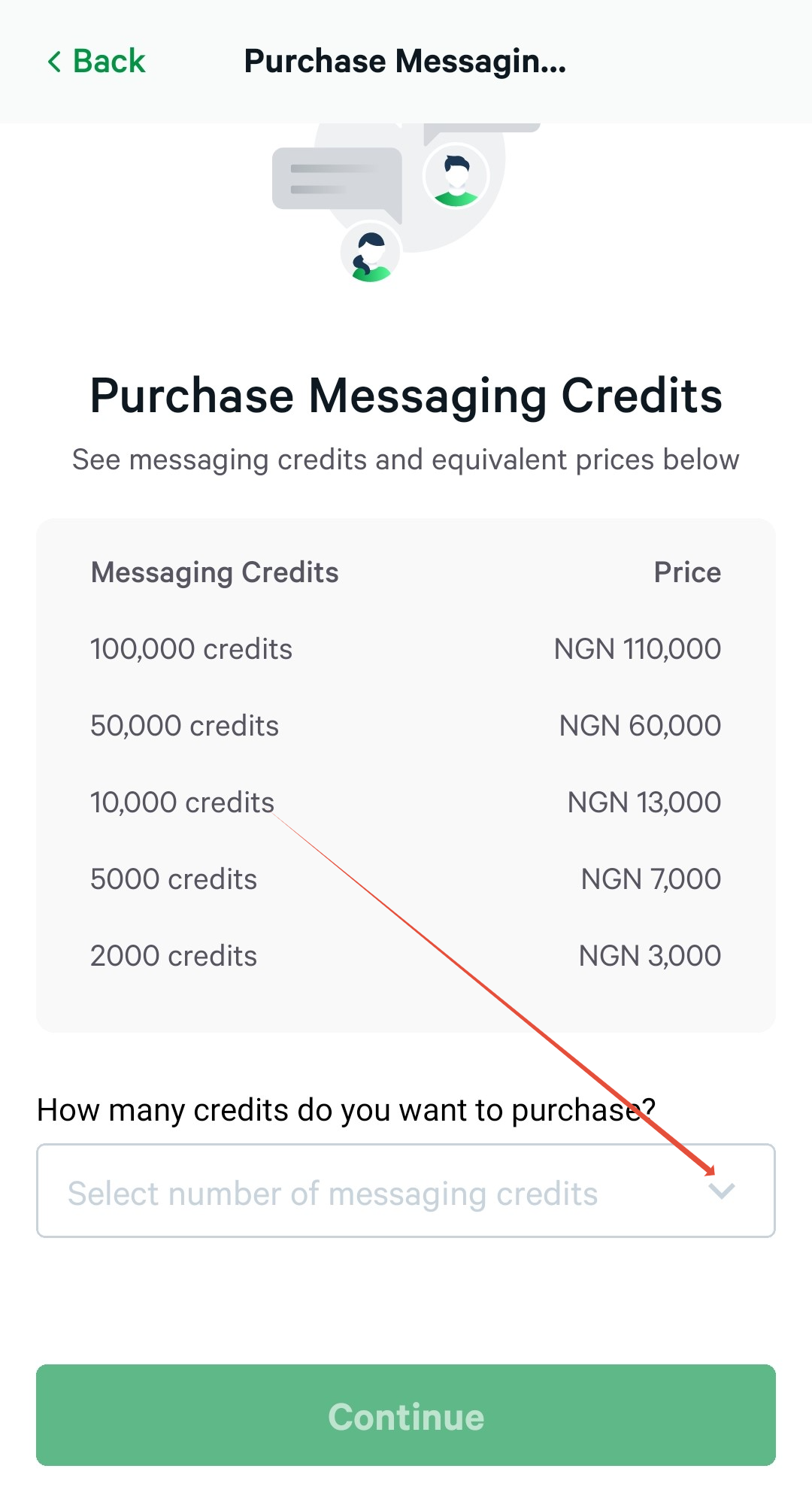
The Bumpa Messaging Campaign feature is a powerful customer relationship management tool designed for small and medium businesses. It allows you to promote your products, drive traffic to your website, and keep your customers updated through email and SMS campaigns. To use this feature, you need messaging credits, which are available at various price points.
Follow these steps to purchase messaging credits:
1. Open the Bumpa App and navigate to the Customers page.
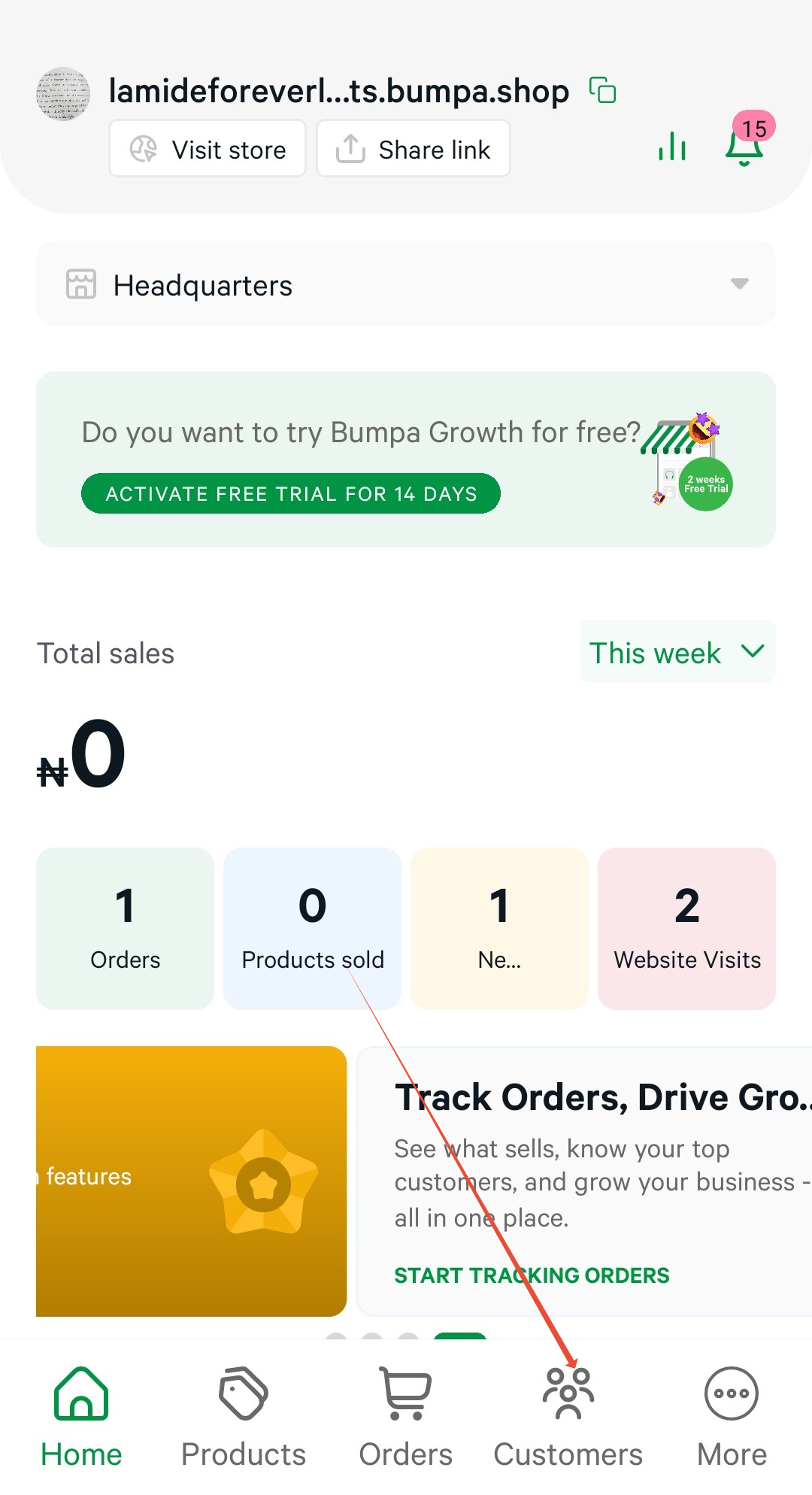
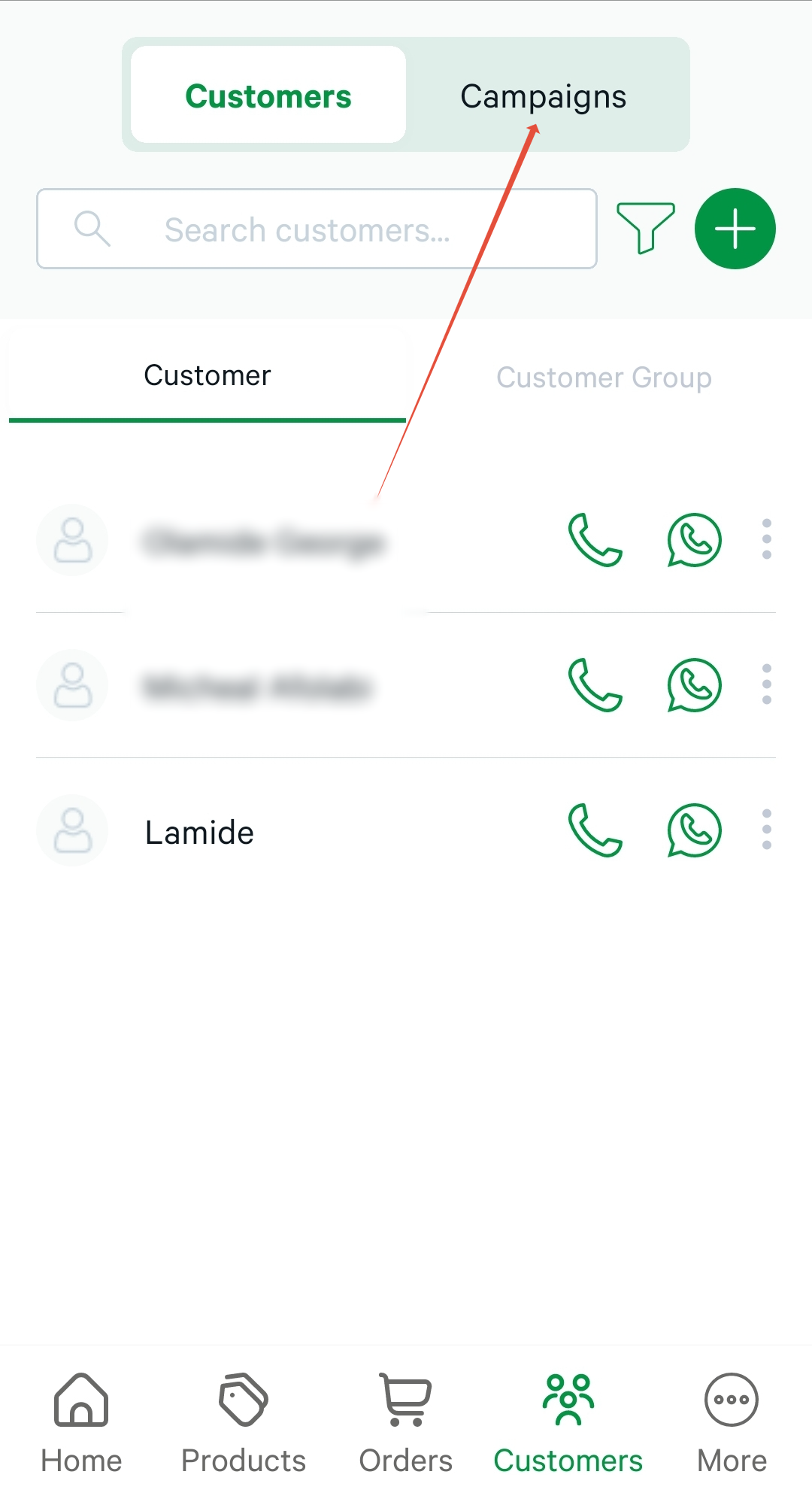
2. Tap the Campaigns tab to view your SMS and Email campaigns.
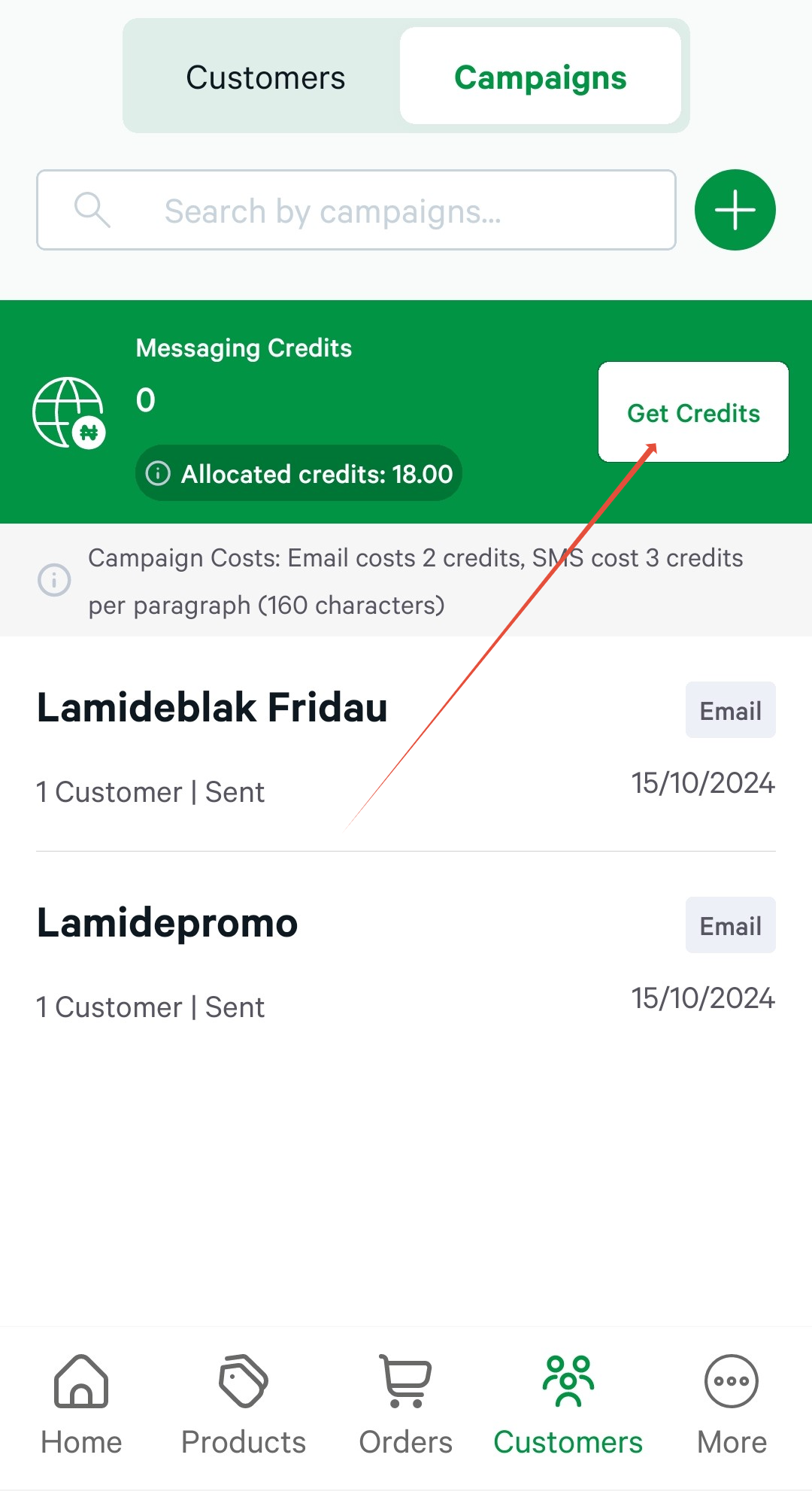
3. Select the Get Credits option
4. Choose your preferred credit amount
5. Proceed to make payment.
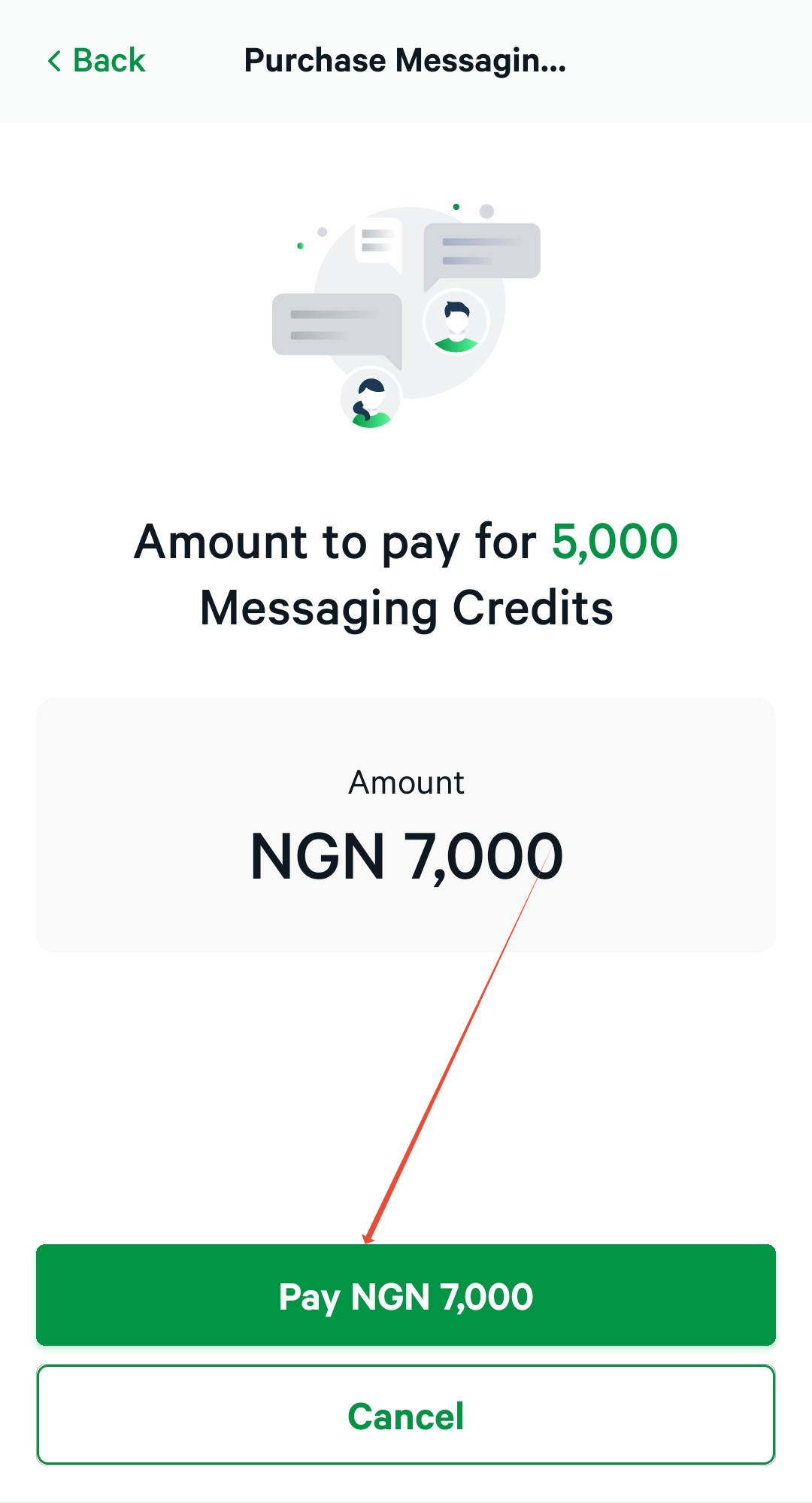
Once you’ve added credits, you can immediately start sending campaigns to engage with your customers effectively.
Was this article helpful?
That’s Great!
Thank you for your feedback
Sorry! We couldn't be helpful
Thank you for your feedback
Feedback sent
We appreciate your effort and will try to fix the article