Using the Online payment option on Bumpa is both secure and convenient, offering quick transaction notifications and reliable processing.
There are transaction charges on all online payment methods except the Merchant account. You can choose to place this charge on your customers (they pay at checkout) or it is deducted from the total amount before remitted to you.
The transaction charge is capped at ₦3,000 across all payment providers. This means no merchant or customer will ever be charged more than ₦3,000 for any transaction.
Bumpa Terminal transaction charges cannot be moved to customers. To know the transaction charges for the Bumpa Terminal payment option, click here
This guide will walk you through the process of setting up transaction charges on Bumpa, from accessing the dashboard to enabling transaction charges for your customers
- Go to app.getbumpa.com
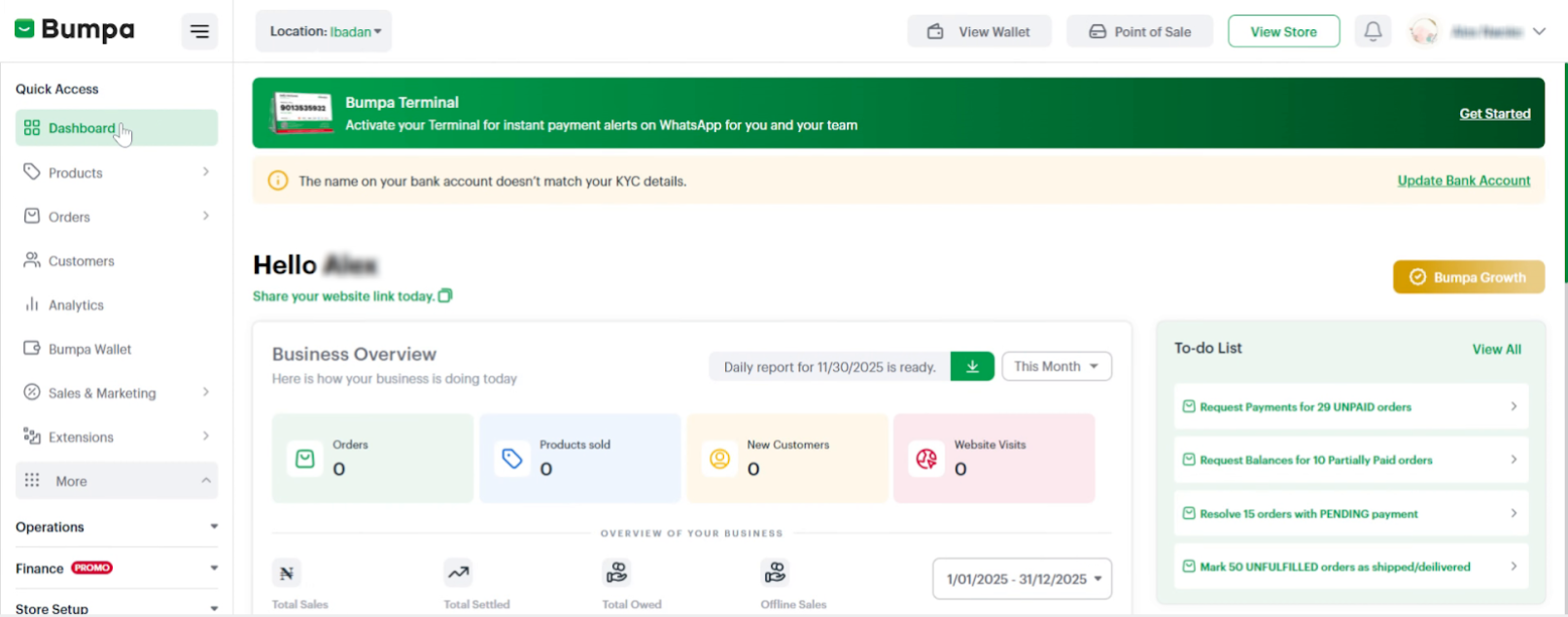
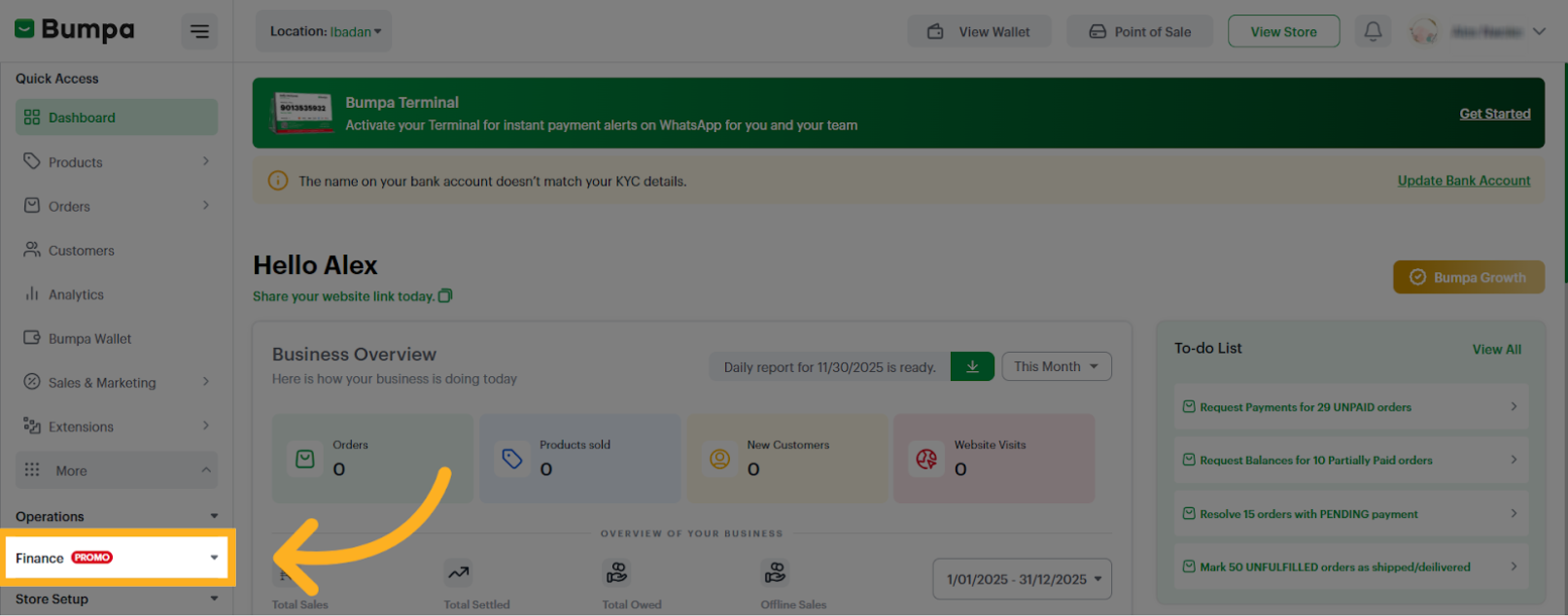
- Click on Finance
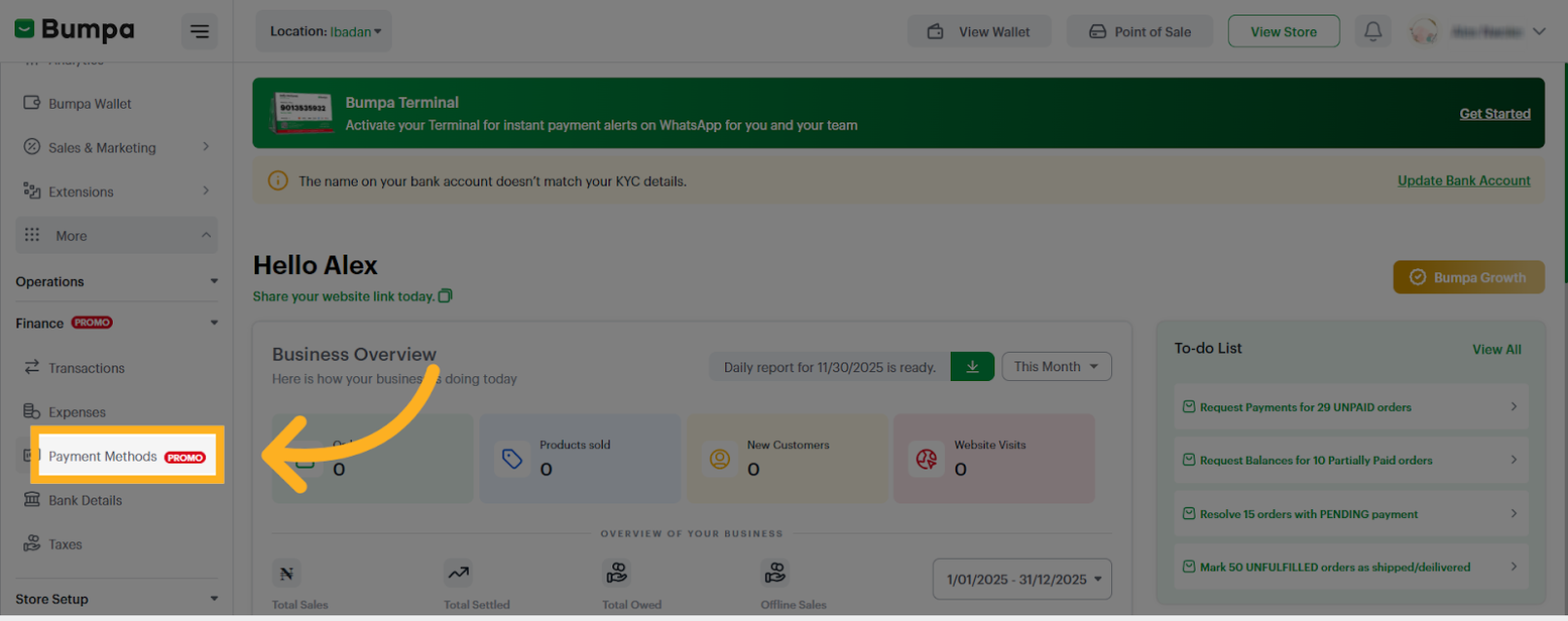
- Click on Payment Methods
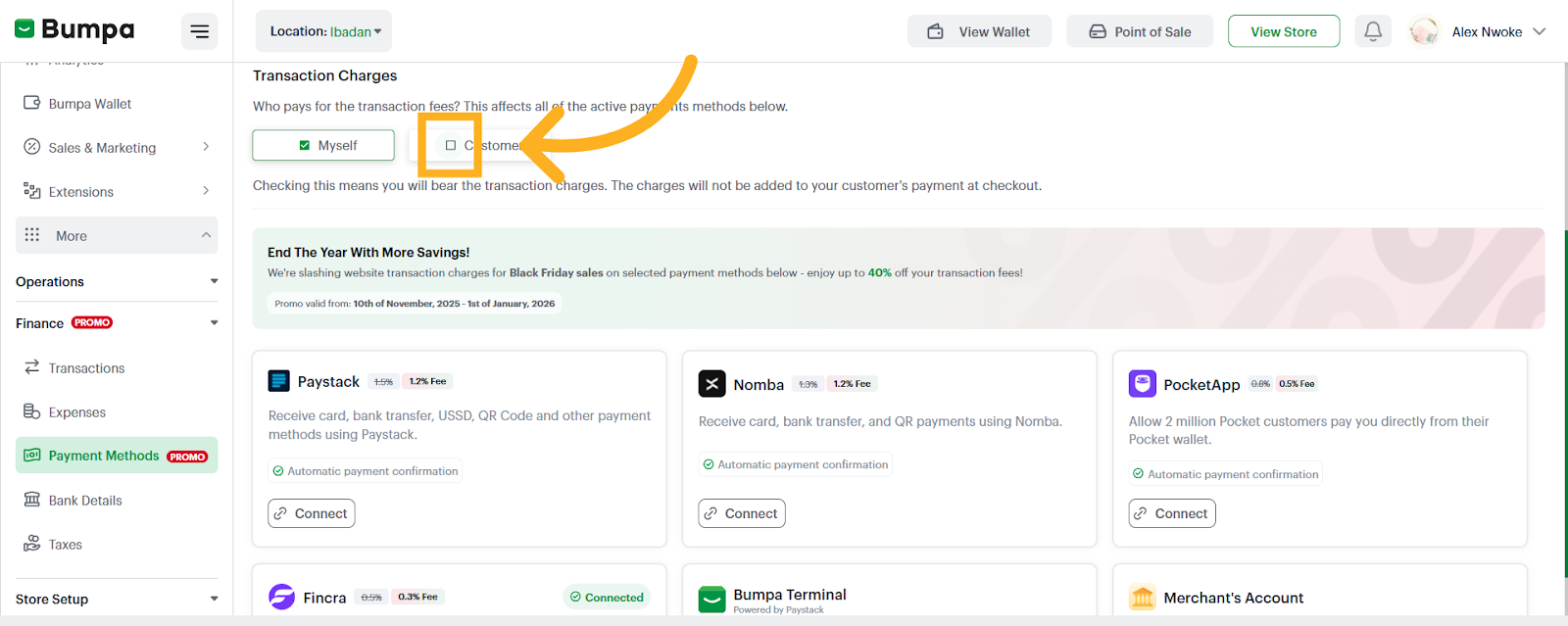
- Select your preferred option for the transaction charges
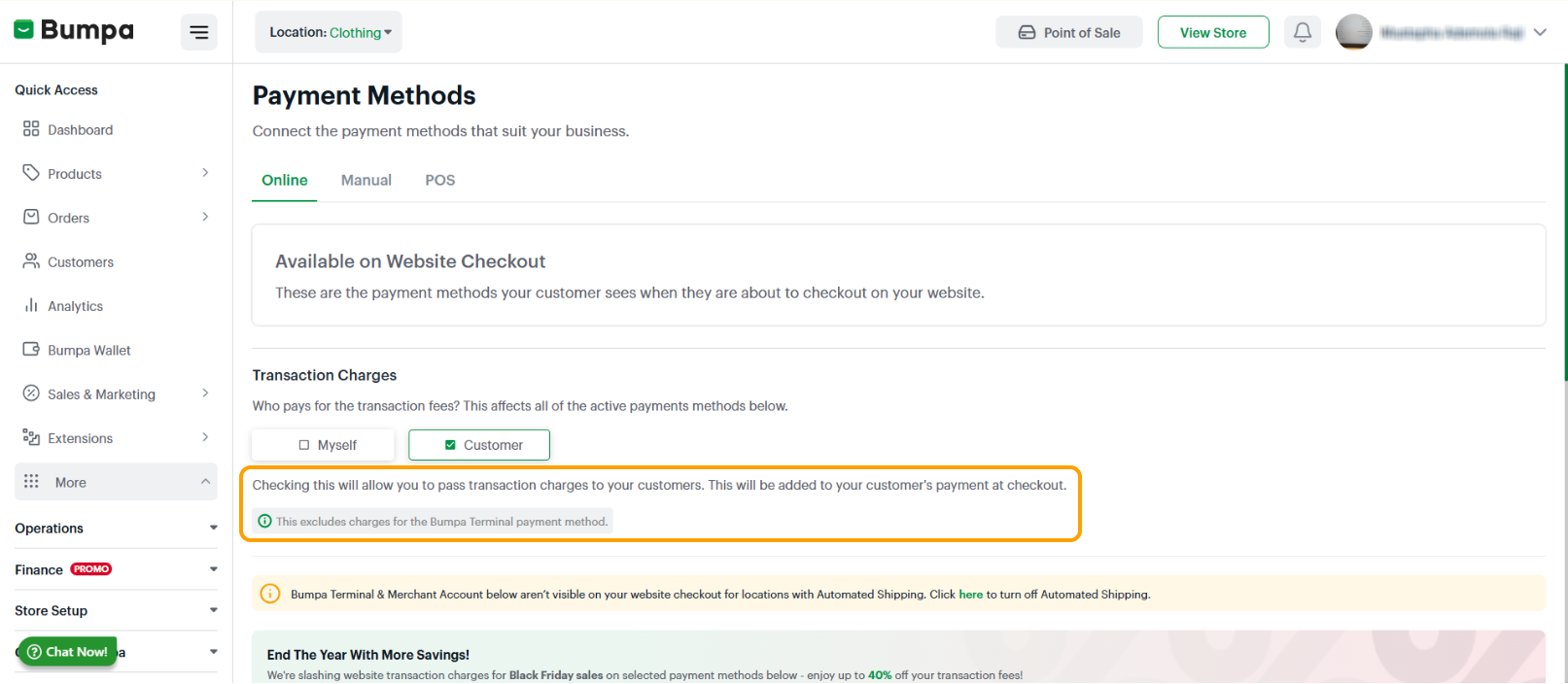
Check the box for "Myself" to bear the transaction charges yourself. Please note that this means the charges will be added to deducted from your remittance.
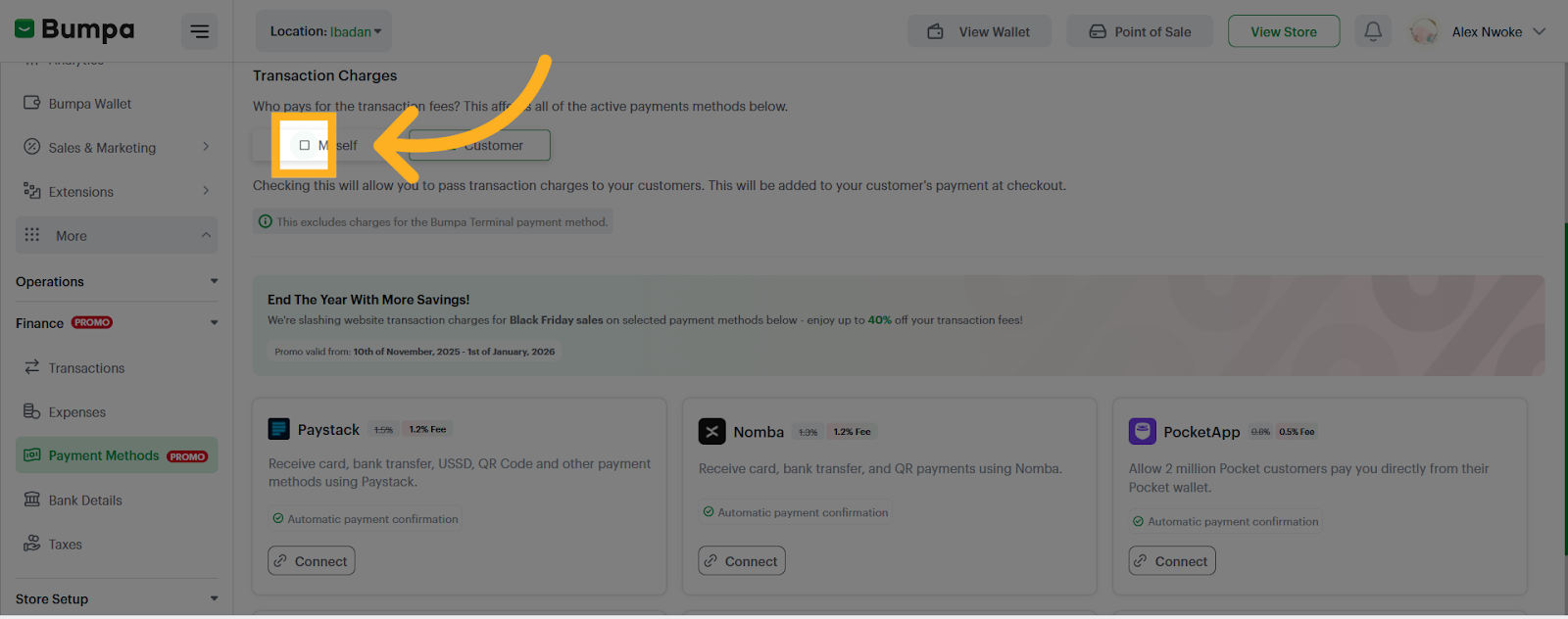
Check the box for "customer" to enable the option to pass transaction charges to customers. Please note that this means the charges will be added to your customer’s payment at checkout.
Related Article
Payment methods
Was this article helpful?
That’s Great!
Thank you for your feedback
Sorry! We couldn't be helpful
Thank you for your feedback
Feedback sent
We appreciate your effort and will try to fix the article