As a business owner, you’ll need to decide what types of payment methods you’ll accept from customers. On Bumpa, there are 3 Payment Methods, which are Online, Manual and POS.
In this article, learn how to connect and manage online and manual payment options to streamline your transactions.
- The Online Method - This include Paystack, Nomba, Fincra, Pocket App, Bumpa Terminal and Merchant Account. With these methods, customers have various methods of payment and can choose based on their convenience. They have the option to pay via their debit cards, bank, bank transfer, USSD, or QR code.
When a customer makes a payment through the website using Paystack, Nomba, Fincra, Pocket App or Bumpa terminal, the payment goes to Bumpa first and is then remitted to your account within 24 hours. To know if payment has been received, the payment status of the order on the web will change to "paid".
There are transaction charge on all only payment methods except the Merchant account. You can choose to place this charge on your customers (they pay at checkout) or it is deducted from the total amount before remitted to you. To set the transaction charge fees click here

The transaction charge is capped at ₦3,000 across all payment providers. This means no merchant or customer will ever be charged more than ₦3,000 for any transaction.
To see your pending remittances, kindly follow these simple steps
- Log into your app
- Click on "more."
- Click on "transactions" to see any pending remittances, which are payments that have not yet been credited to your account registered on Bumpa:
To Set up the Online Payment Methods: simply follow these steps
- Go to app.getbumpa.com
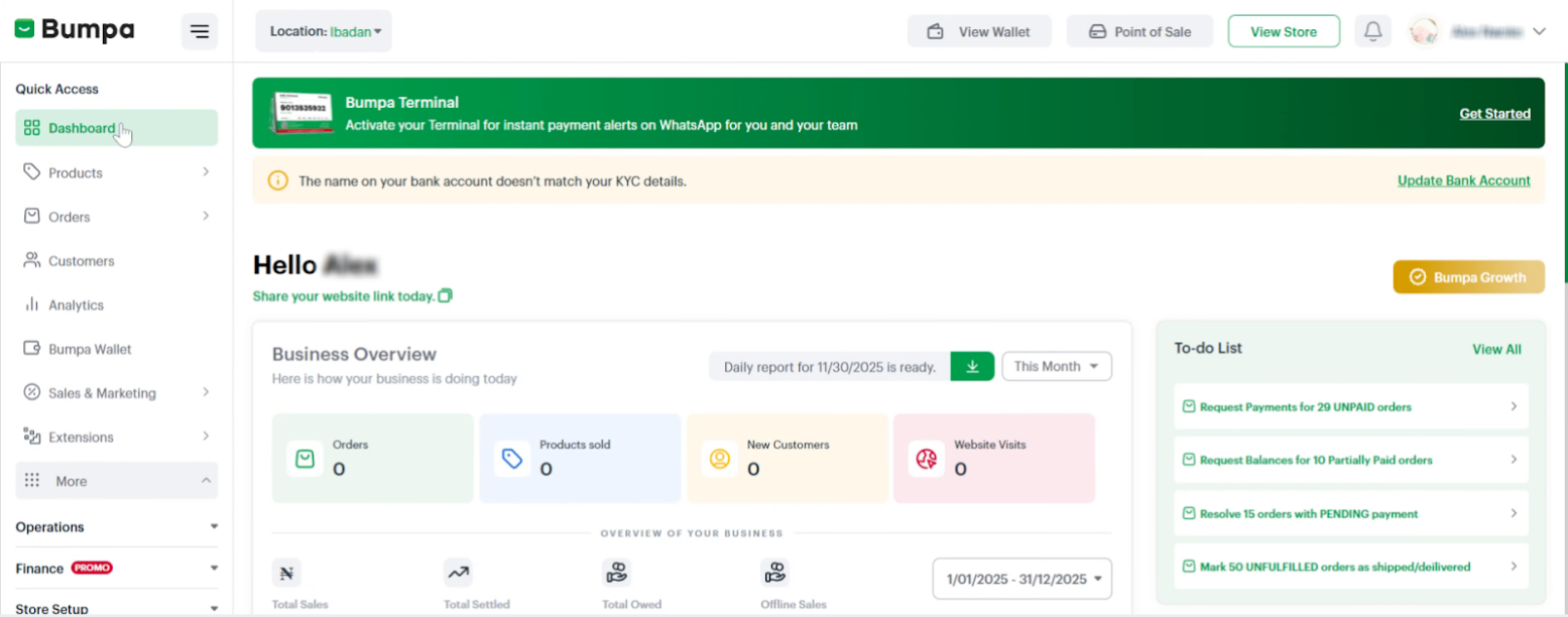
- Click on Finance
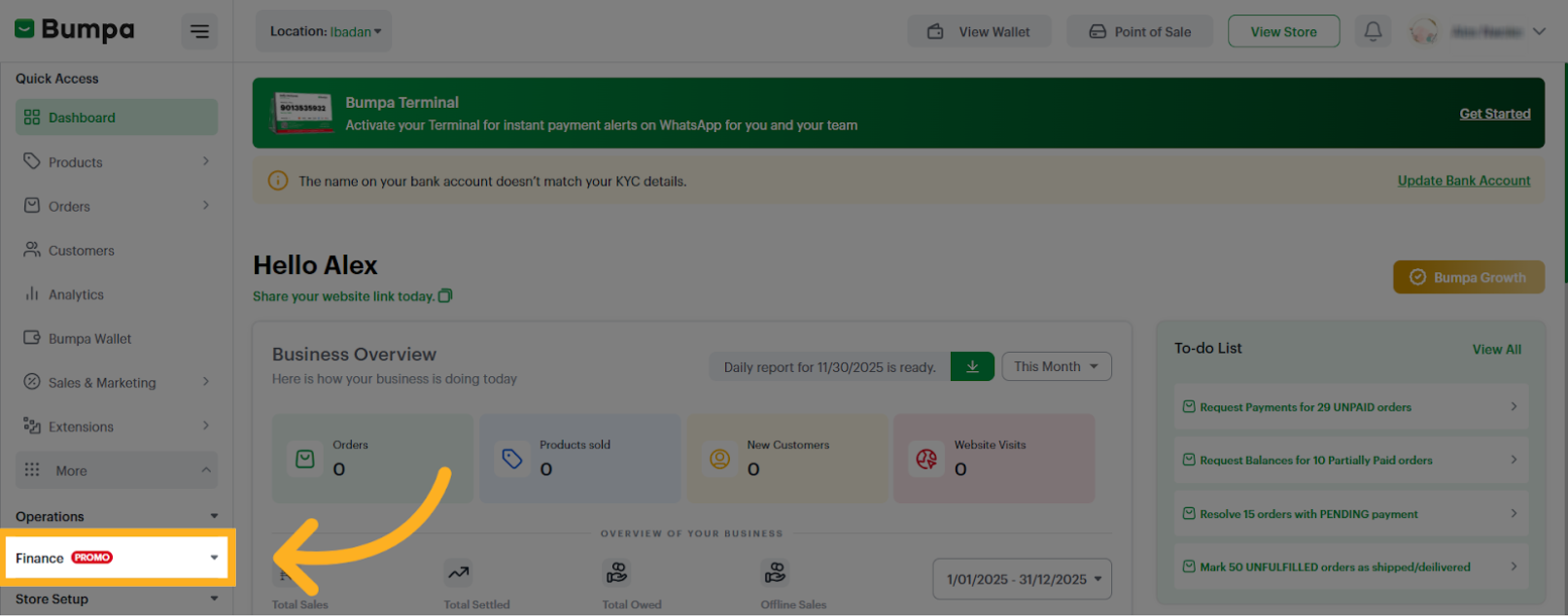
- Click on Payment Methods
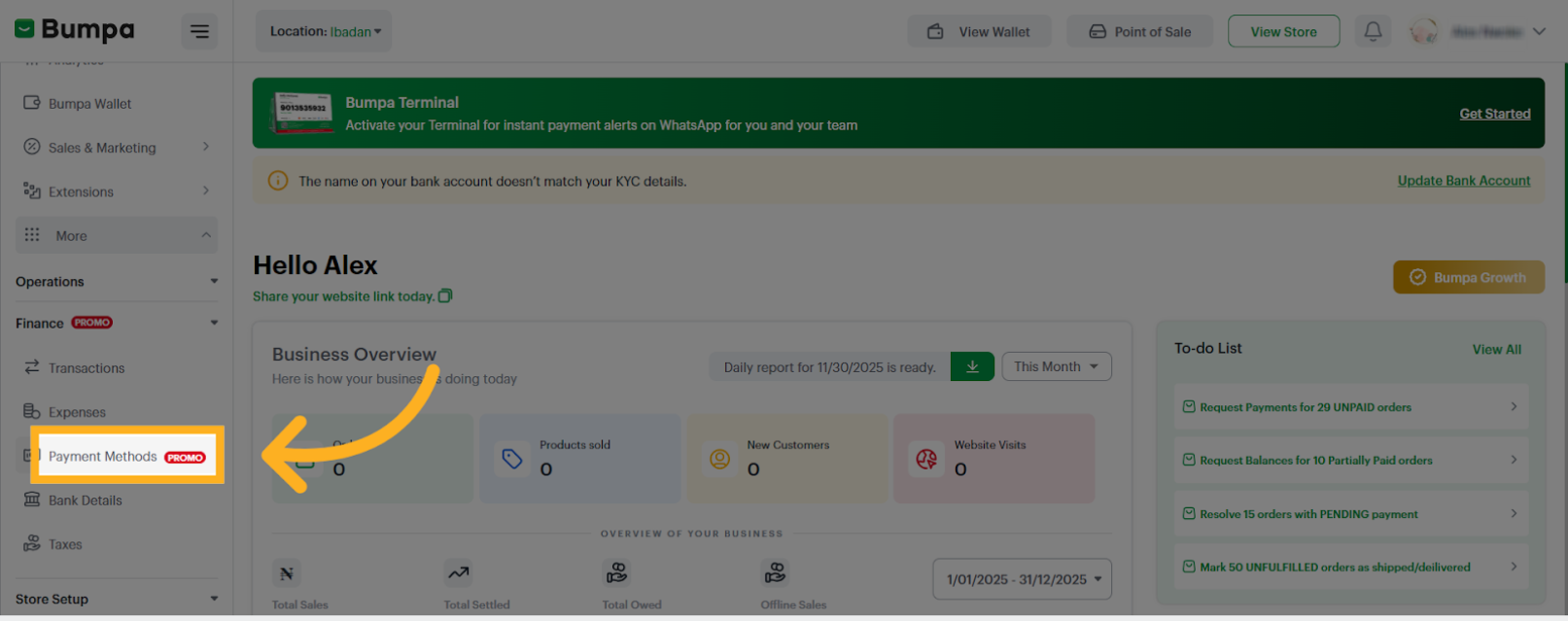
- Select Online Payments
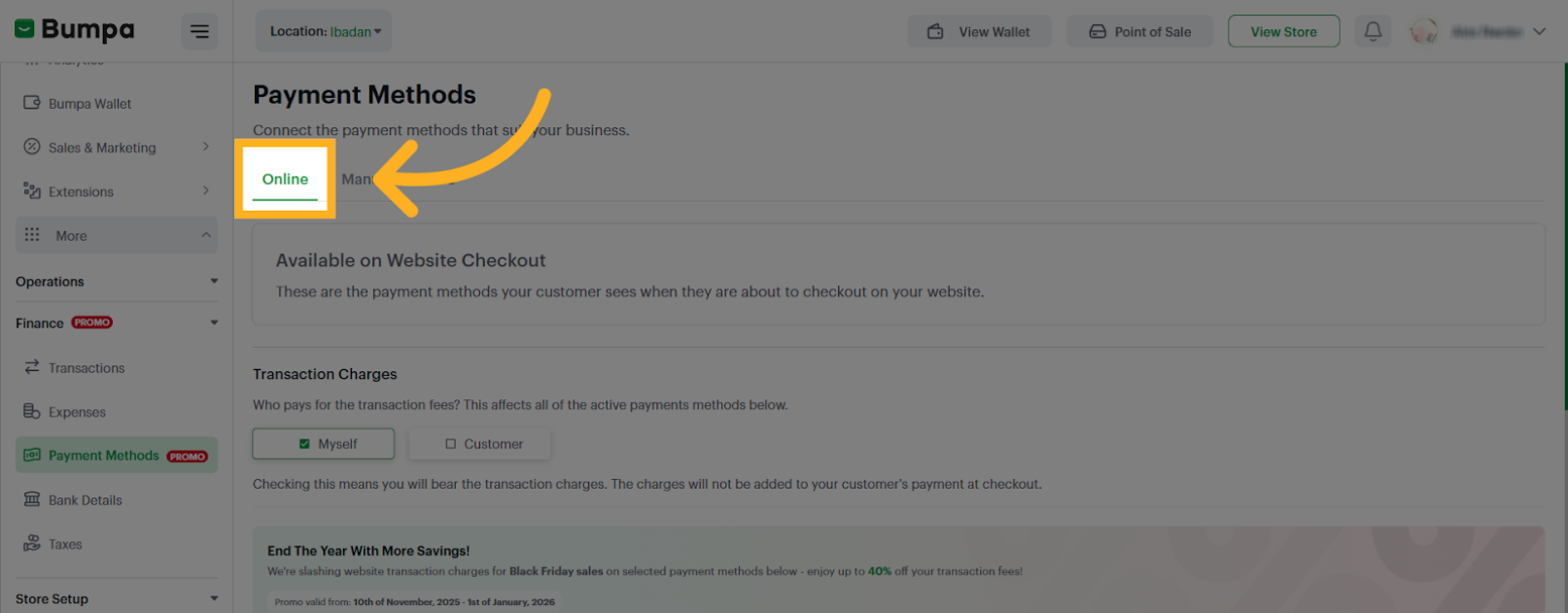
- You can select Myself or Customer for Transaction charges
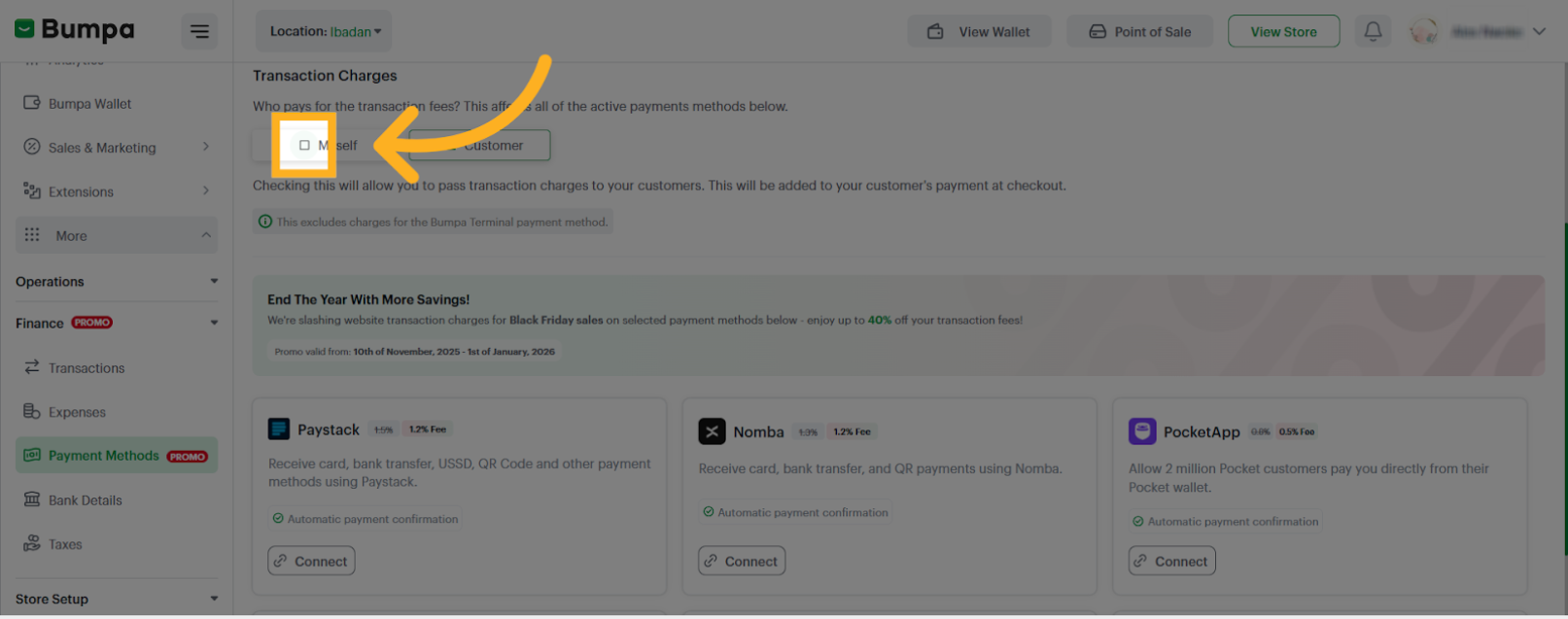
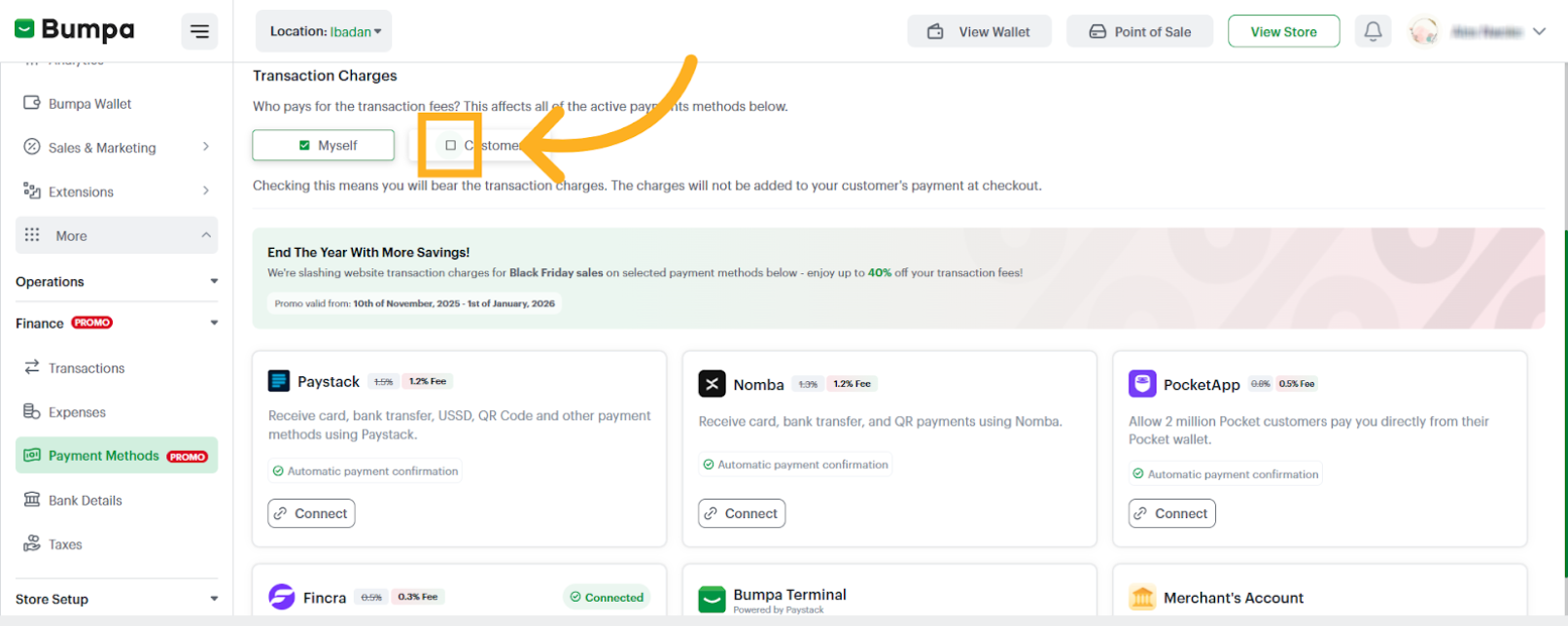
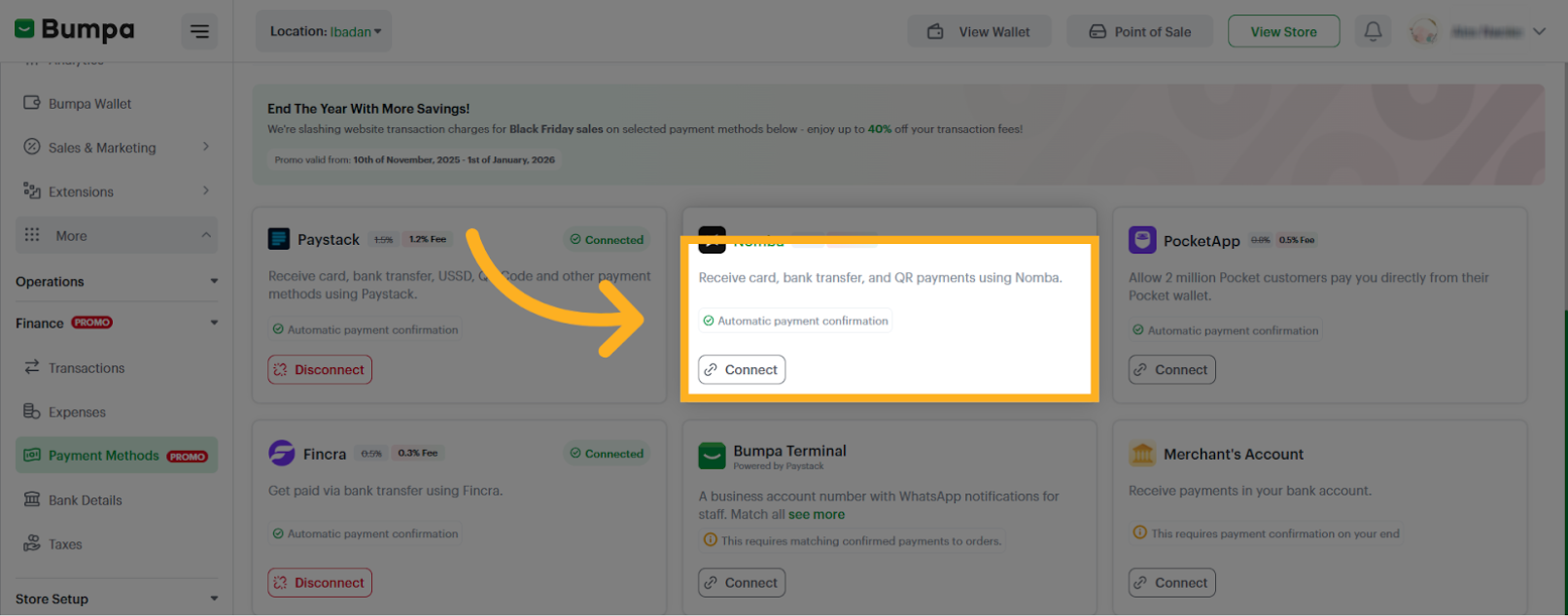
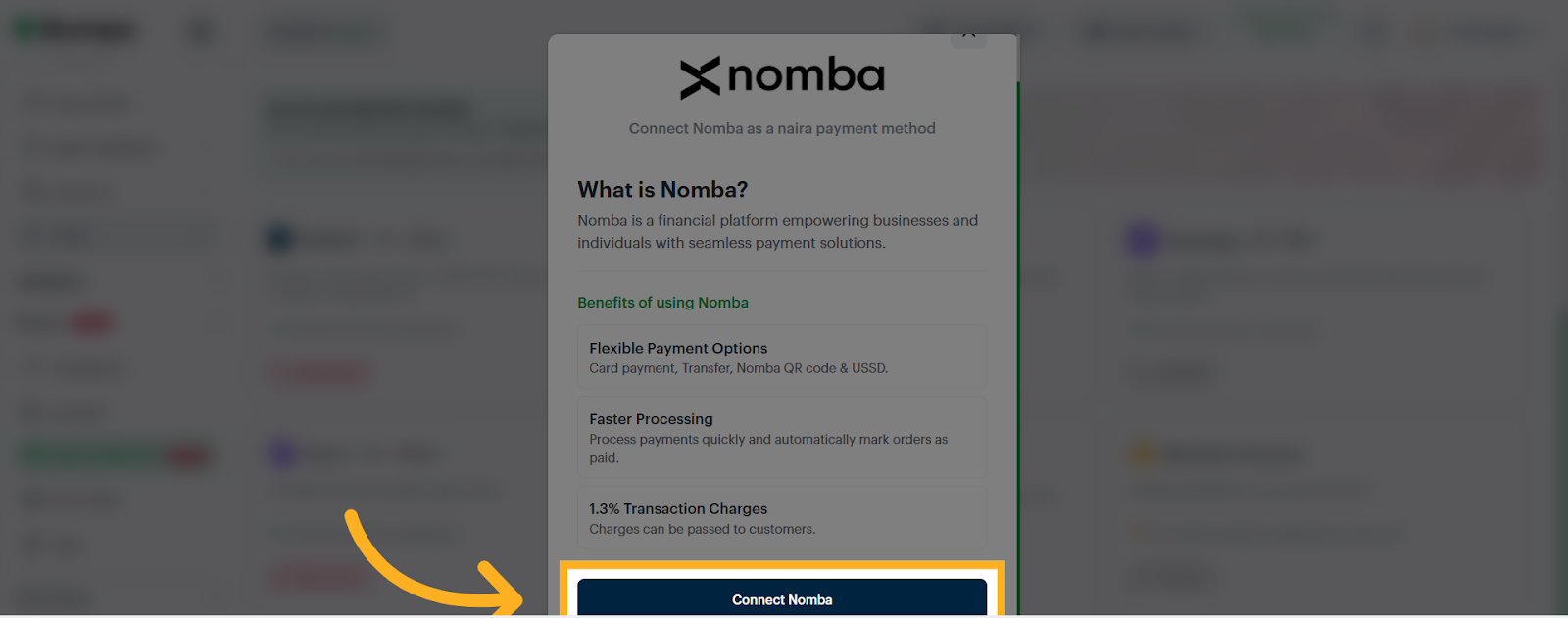
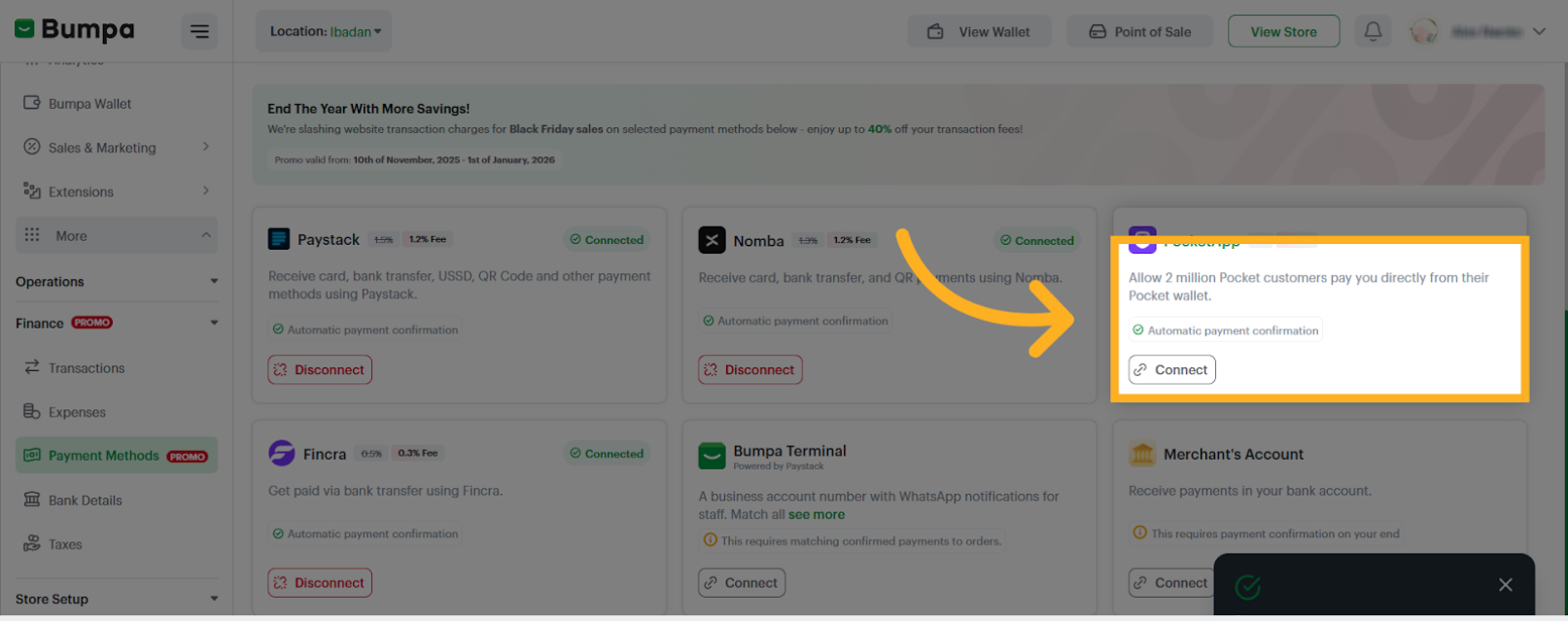
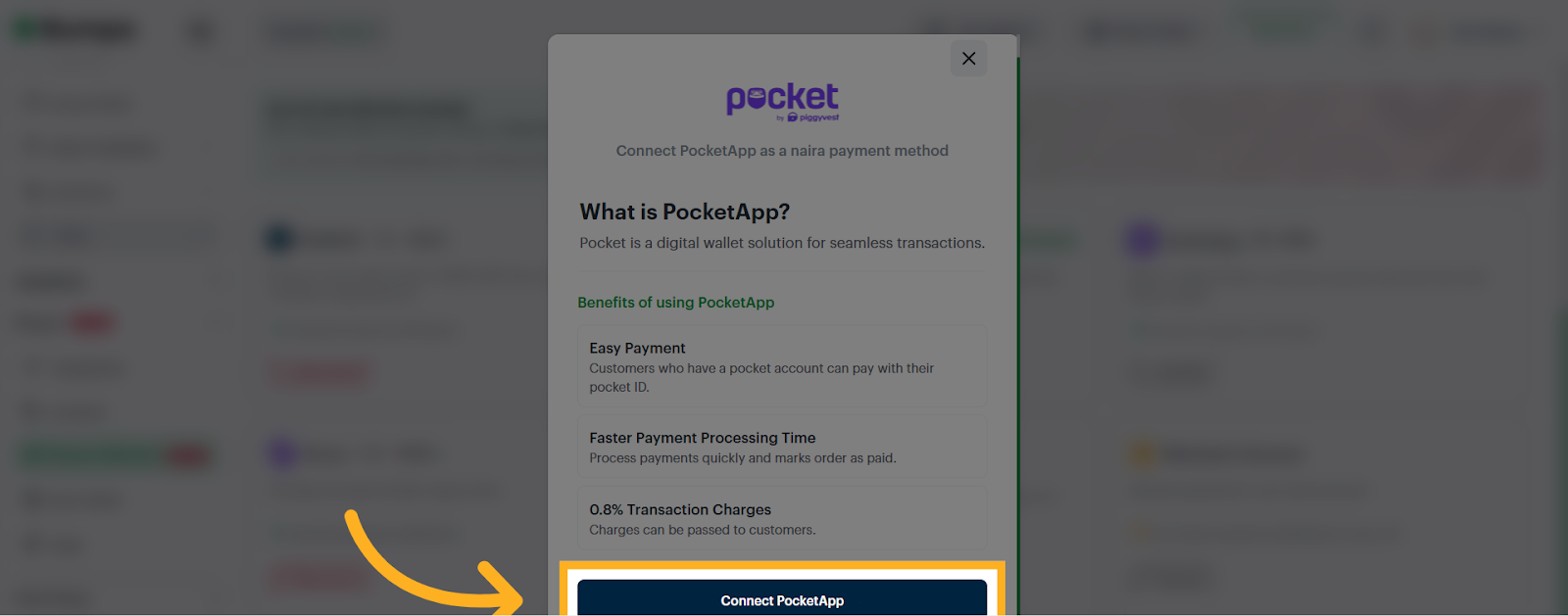
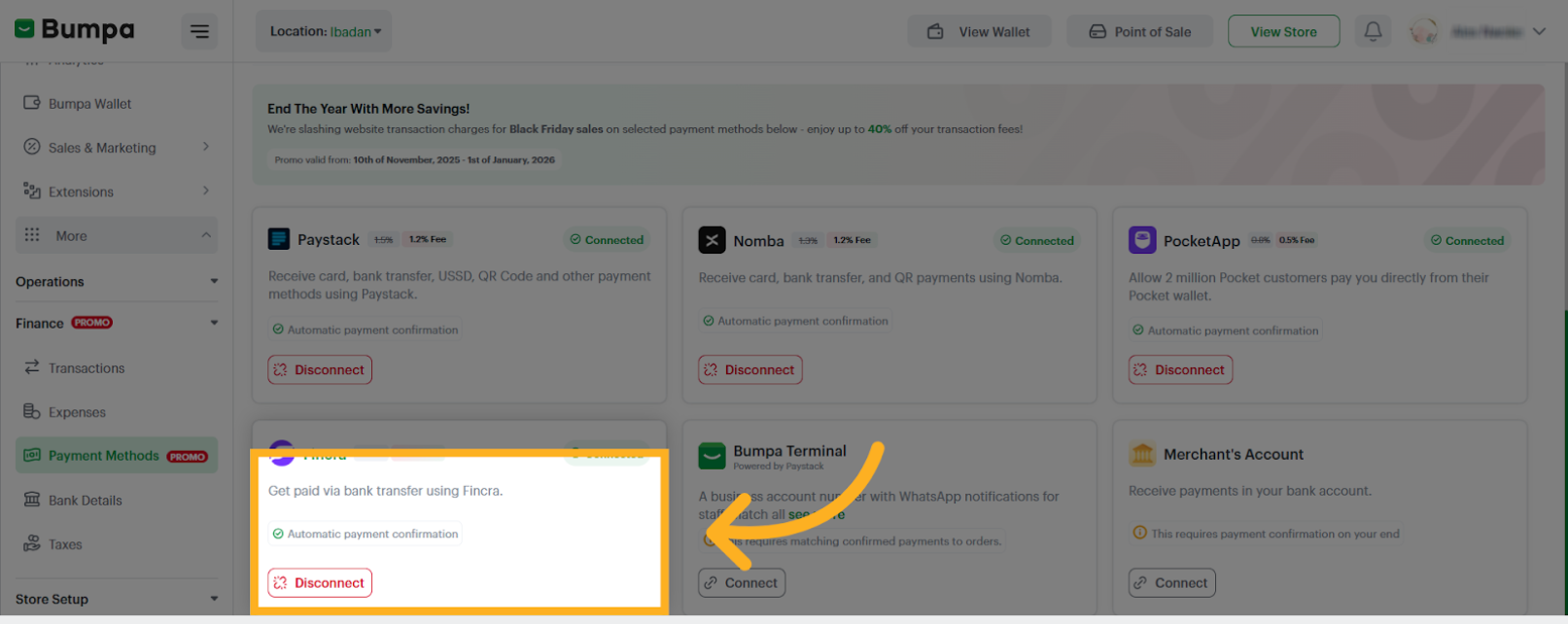
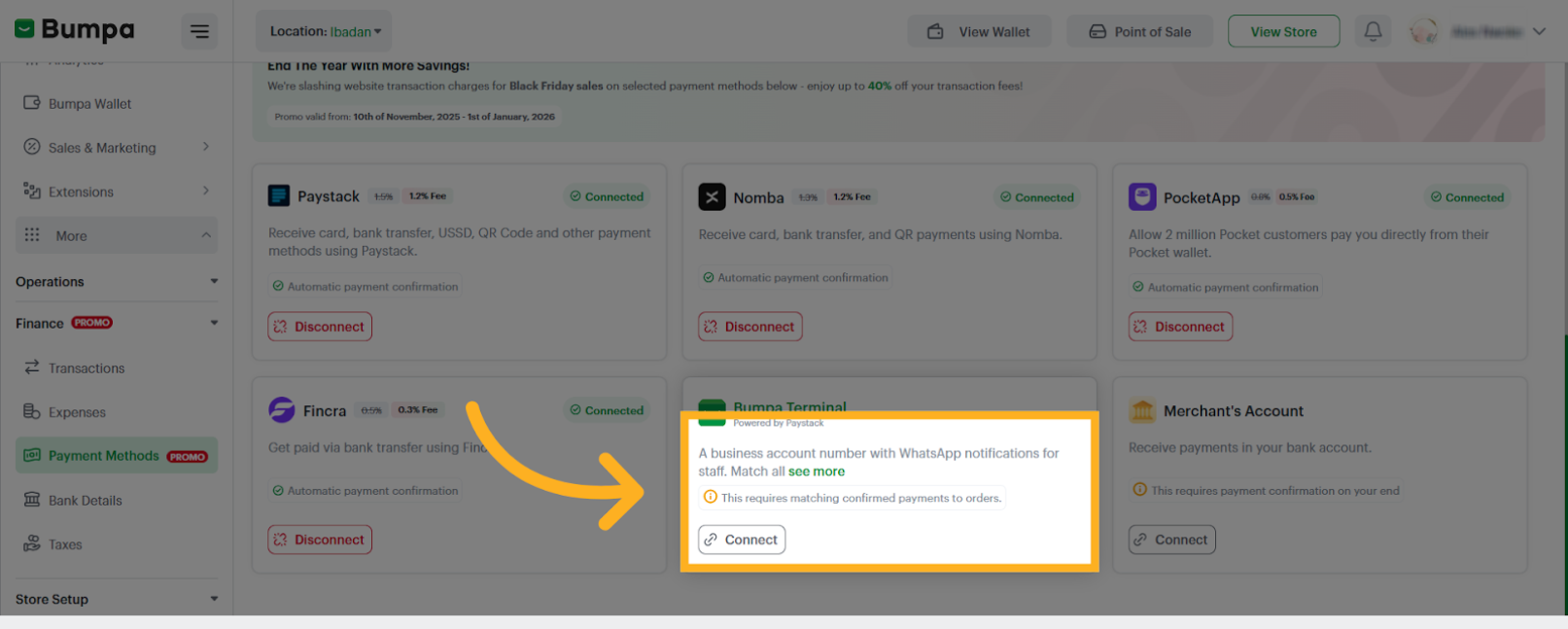
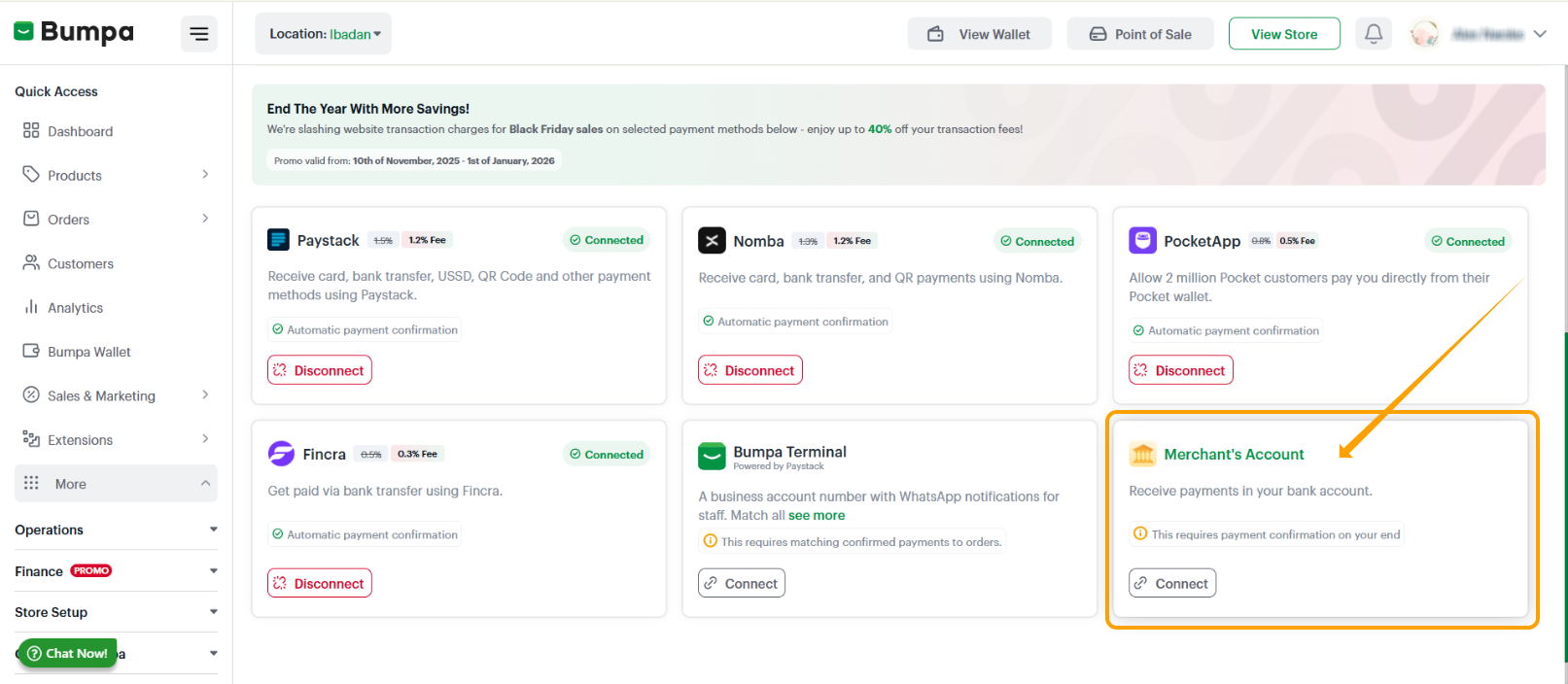
- Click on Connect on any of the Online options to turn on your preferred payment option
Paystack
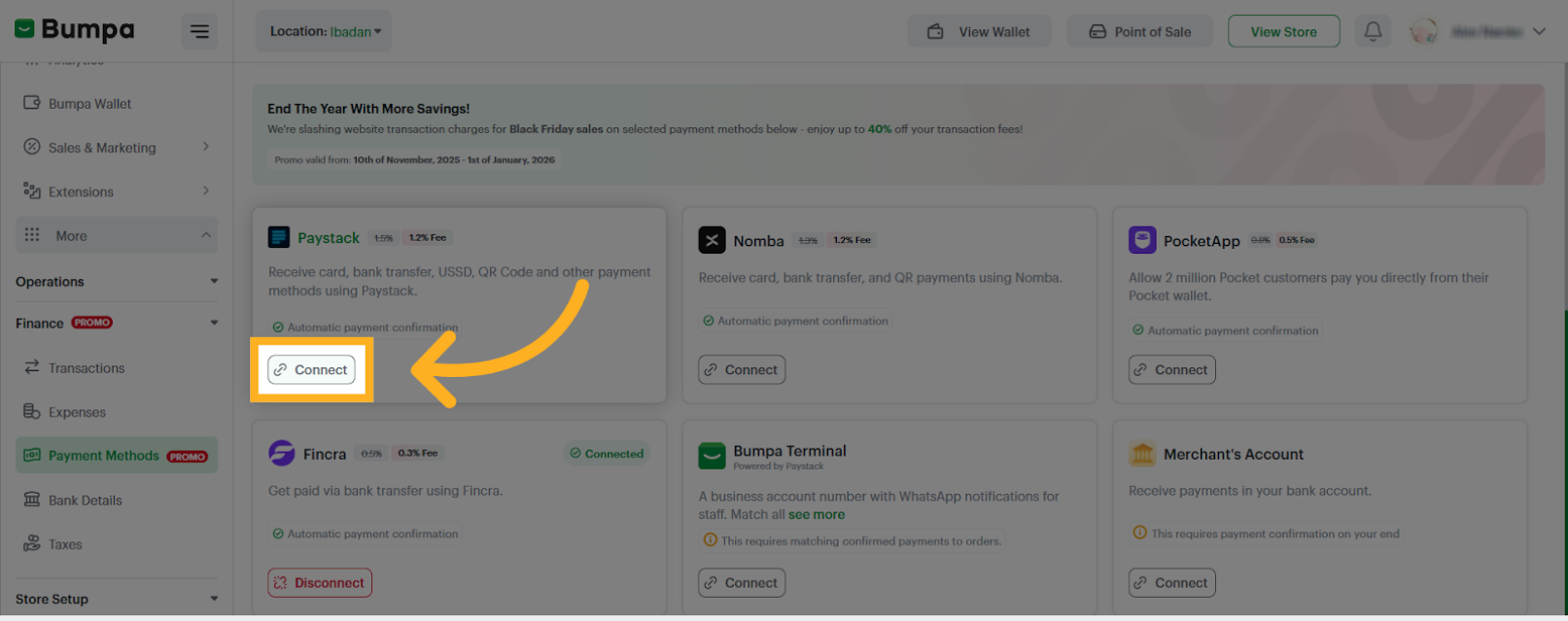
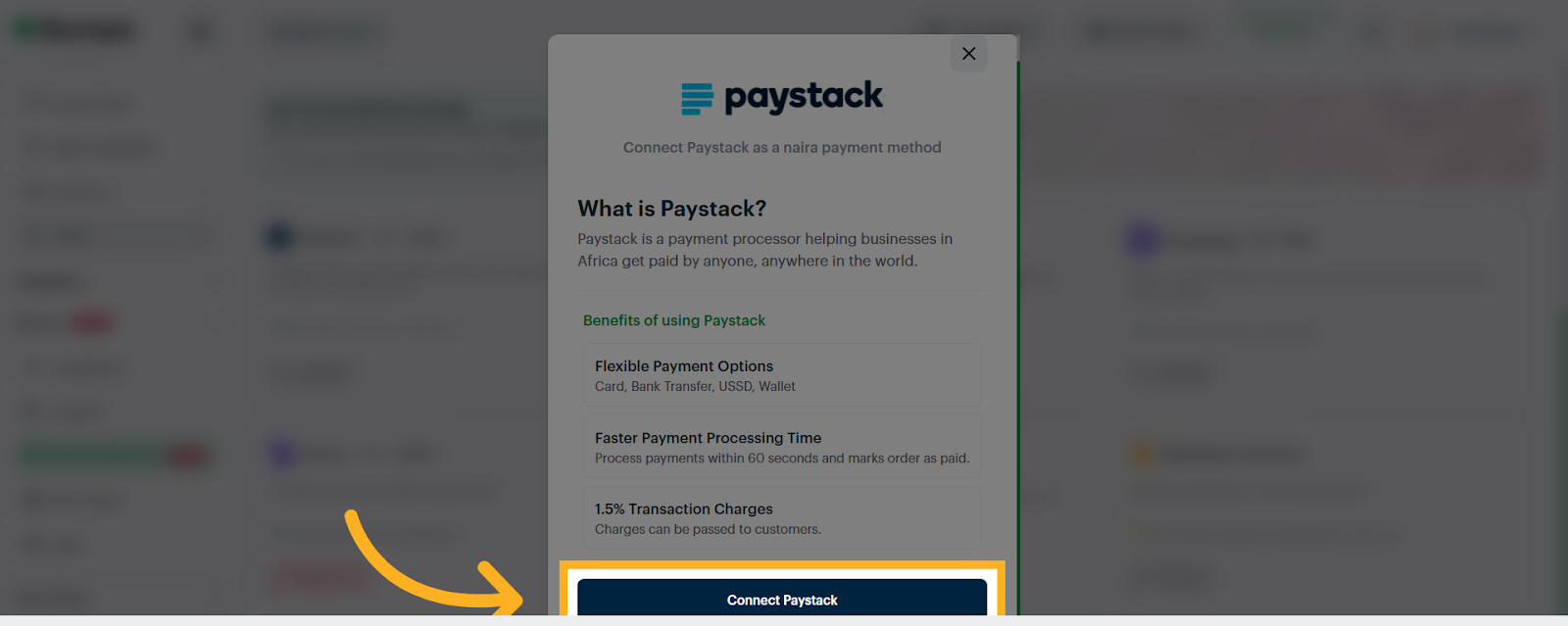
Nomba
Pocket App
Fincra
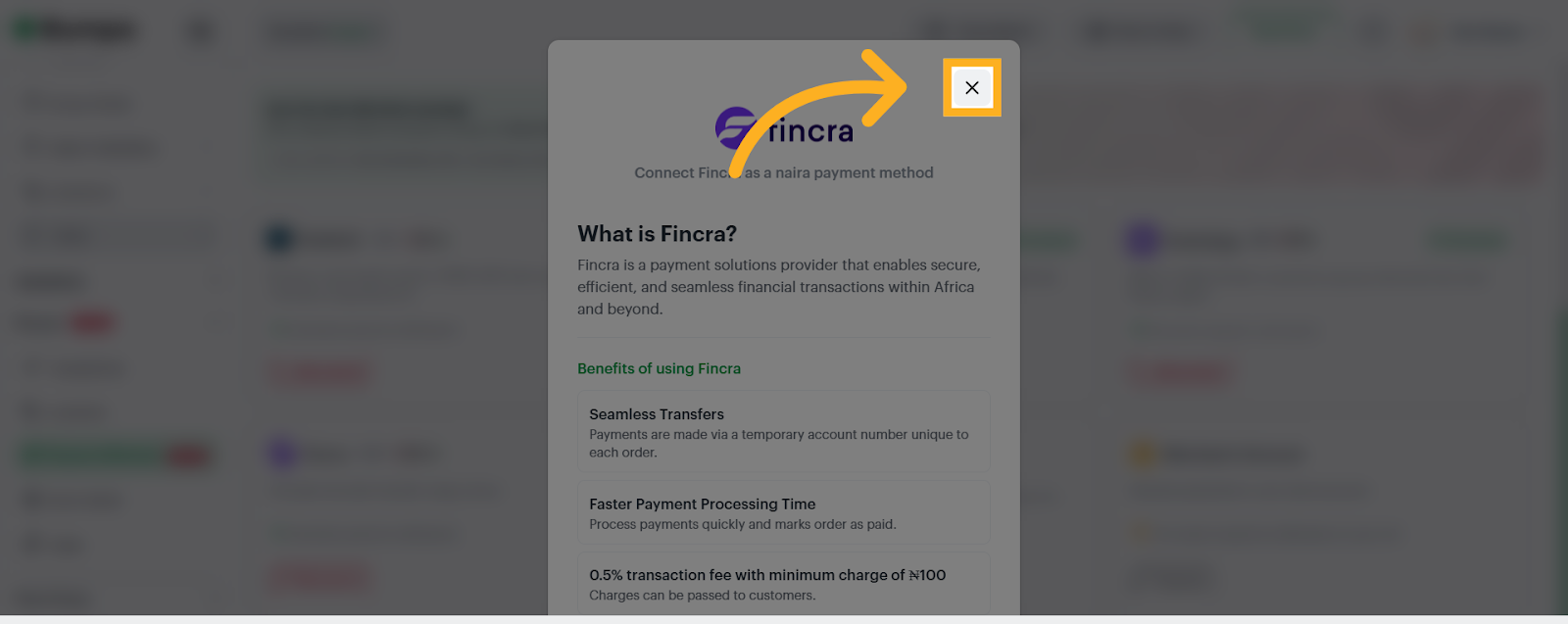
Bumpa Terminal
Merchant Account
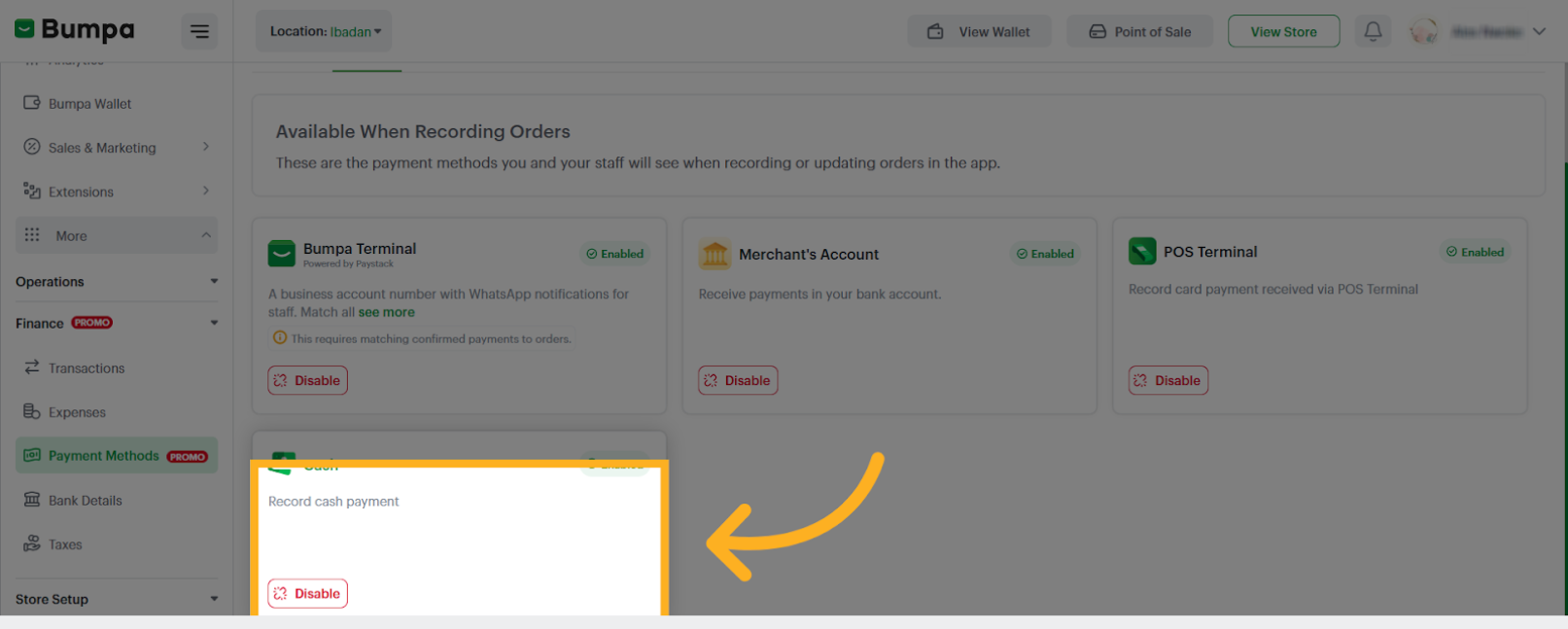
2. Manual Method - These are the payment options that will be visible on the Orders page while you're manually recording offline transactions.
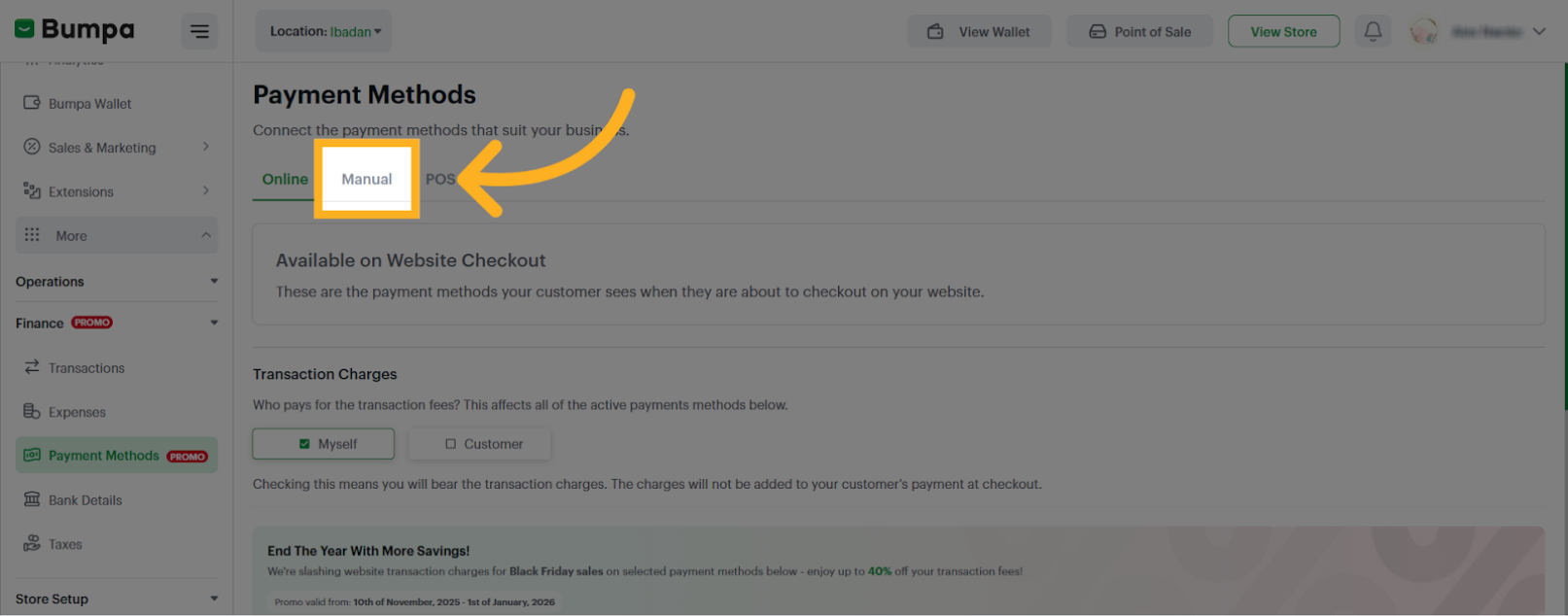
To set up your preferred Manual Payment Method:
- Click Manual to enable manual payment recording.
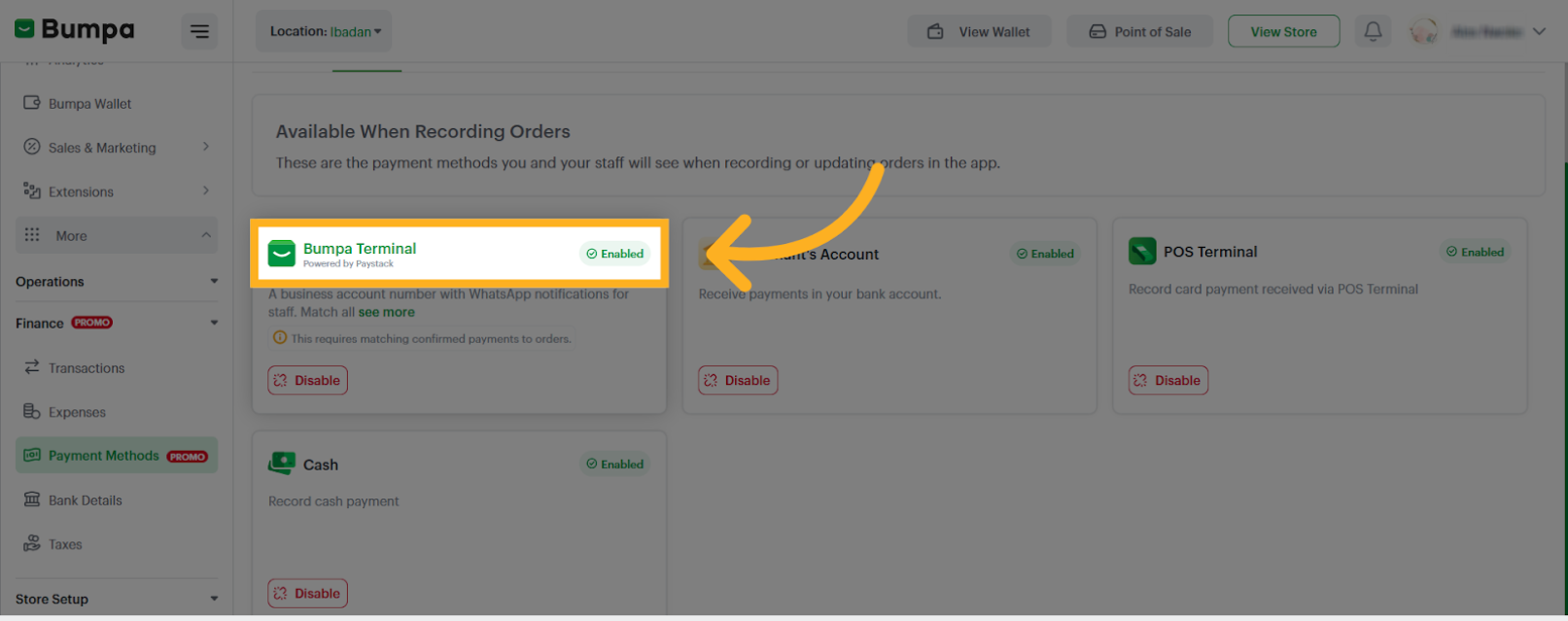
- Select Bumpa Terminal to match transactions made via your terminal to manually recorded orders
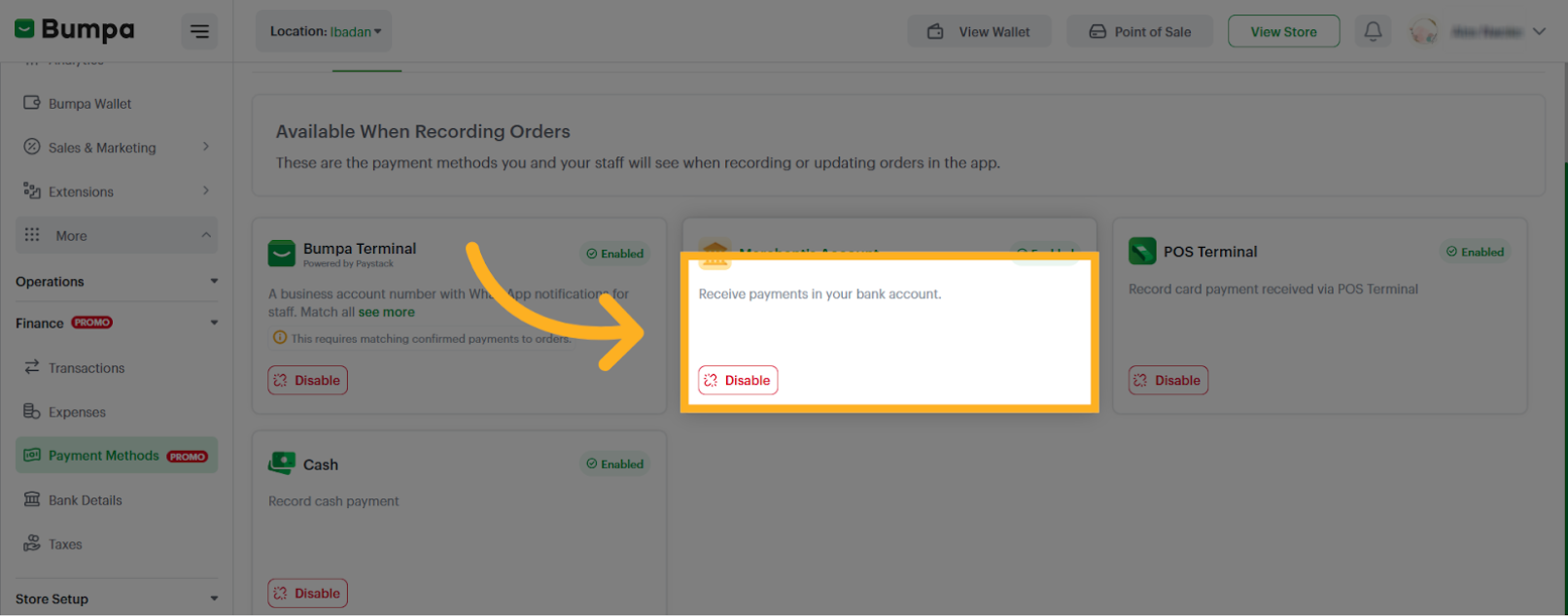
- Select merchant account for payments made directly into your personal or business account
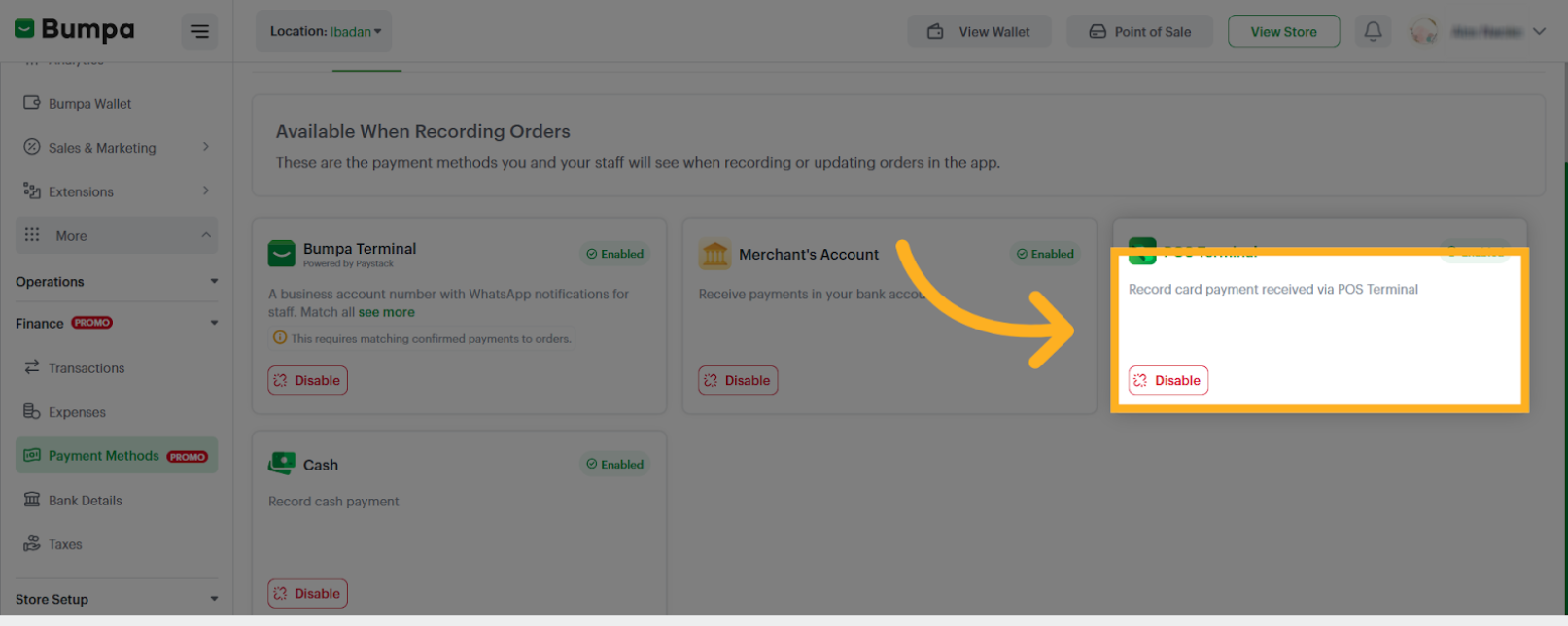
- Select POS Terminal to log card payments made through your POS terminal.
- Select Cash payment to log cash payments received.
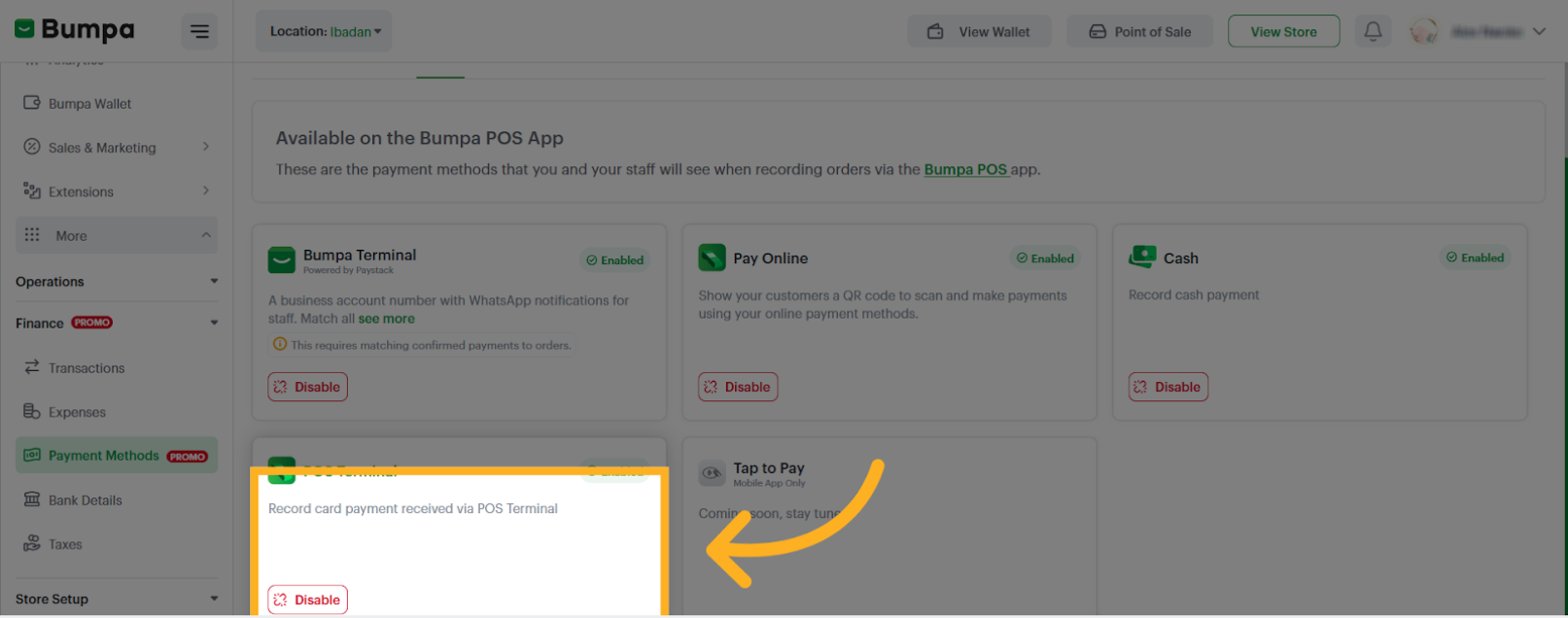
3. POS Payment Method - This allows you to manage how payments are recorded on the Bumpa POS app.
To set up your POS payment options:
- Click on POS and enable your preferred option(s)
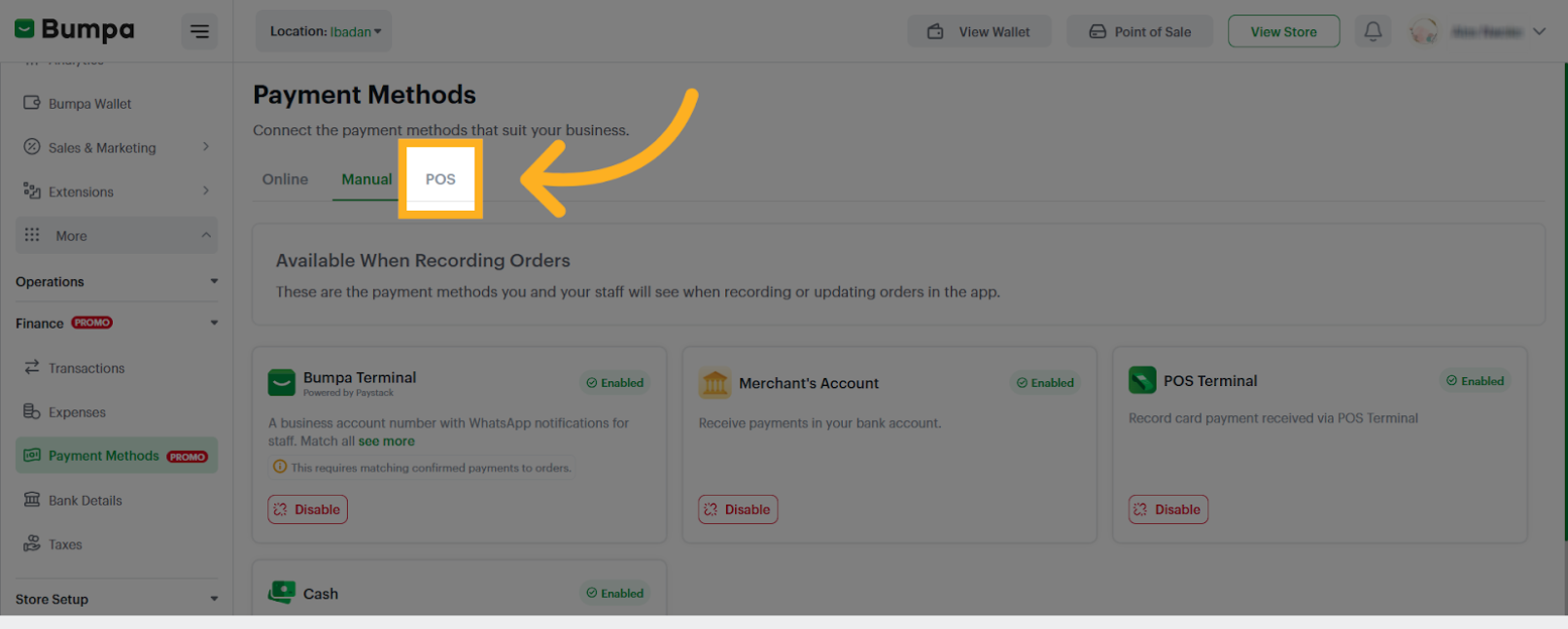
Bumpa Terminal
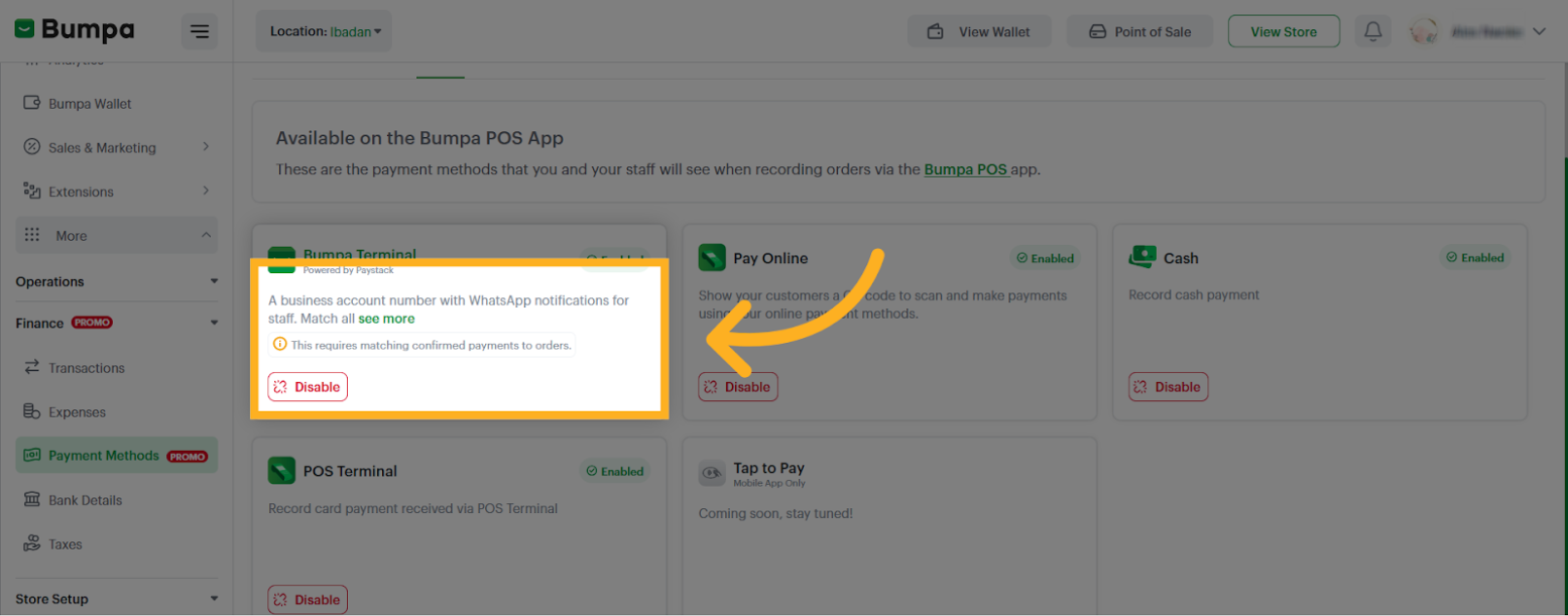
Pay Online
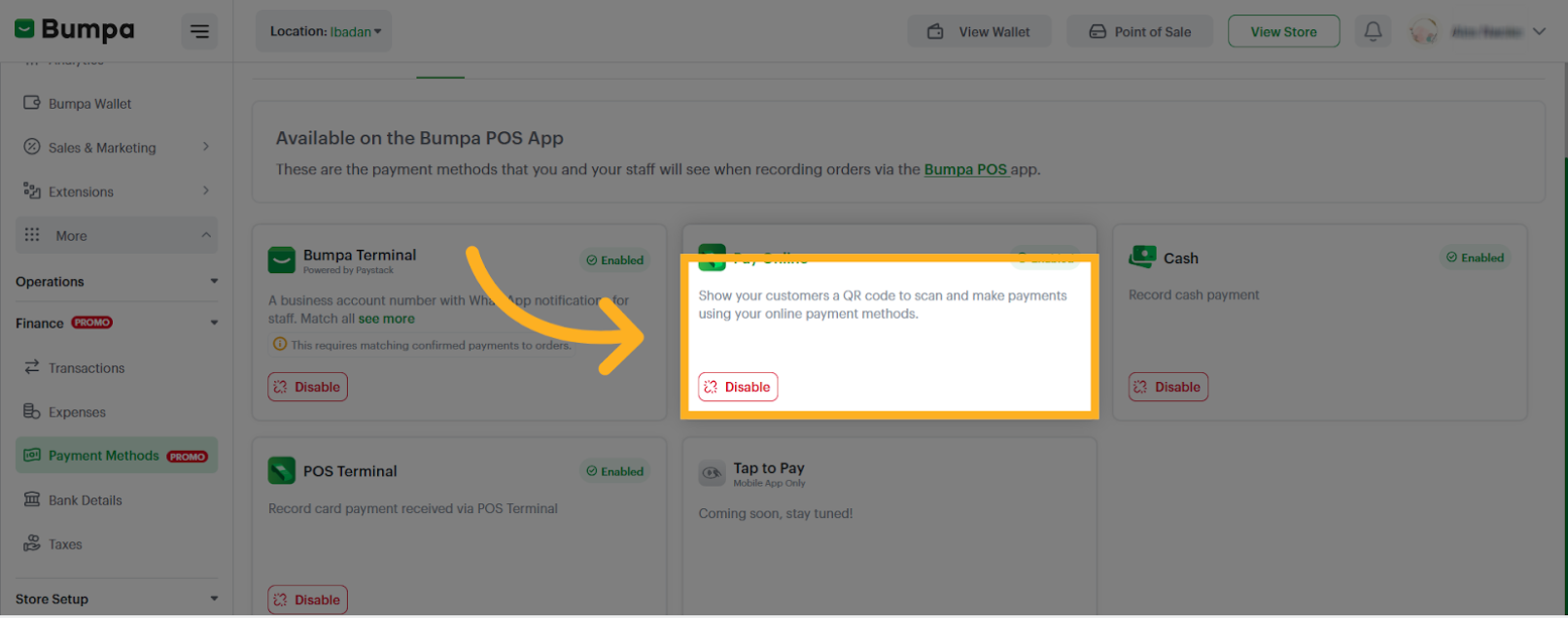
Cash Payment

POS
Related Articles
Setting Up Direct Bank Transfer
Updating the Paystack Charge Option
Selling in USD and Pounds Currency using Stripe on Bumpa
Was this article helpful?
That’s Great!
Thank you for your feedback
Sorry! We couldn't be helpful
Thank you for your feedback
Feedback sent
We appreciate your effort and will try to fix the article