Newsletters help you stay connected with potential and existing customers by sharing product updates, valuable content, and special offers directly to their inboxes.
With Bumpa, you can collect visitors' email addresses through your newsletter pop-up, access them from your Bumpa Web dashboard, and use them for email campaigns. The new checkout email opt-in feature also allows customers to choose whether they want to receive news and promotional offers from your business.
In this guide, you'll learn how to set up your newsletter pop-up and enable customers to opt in to emails at checkout.
To get Started:
Log in to your account via app.getbumpa.com
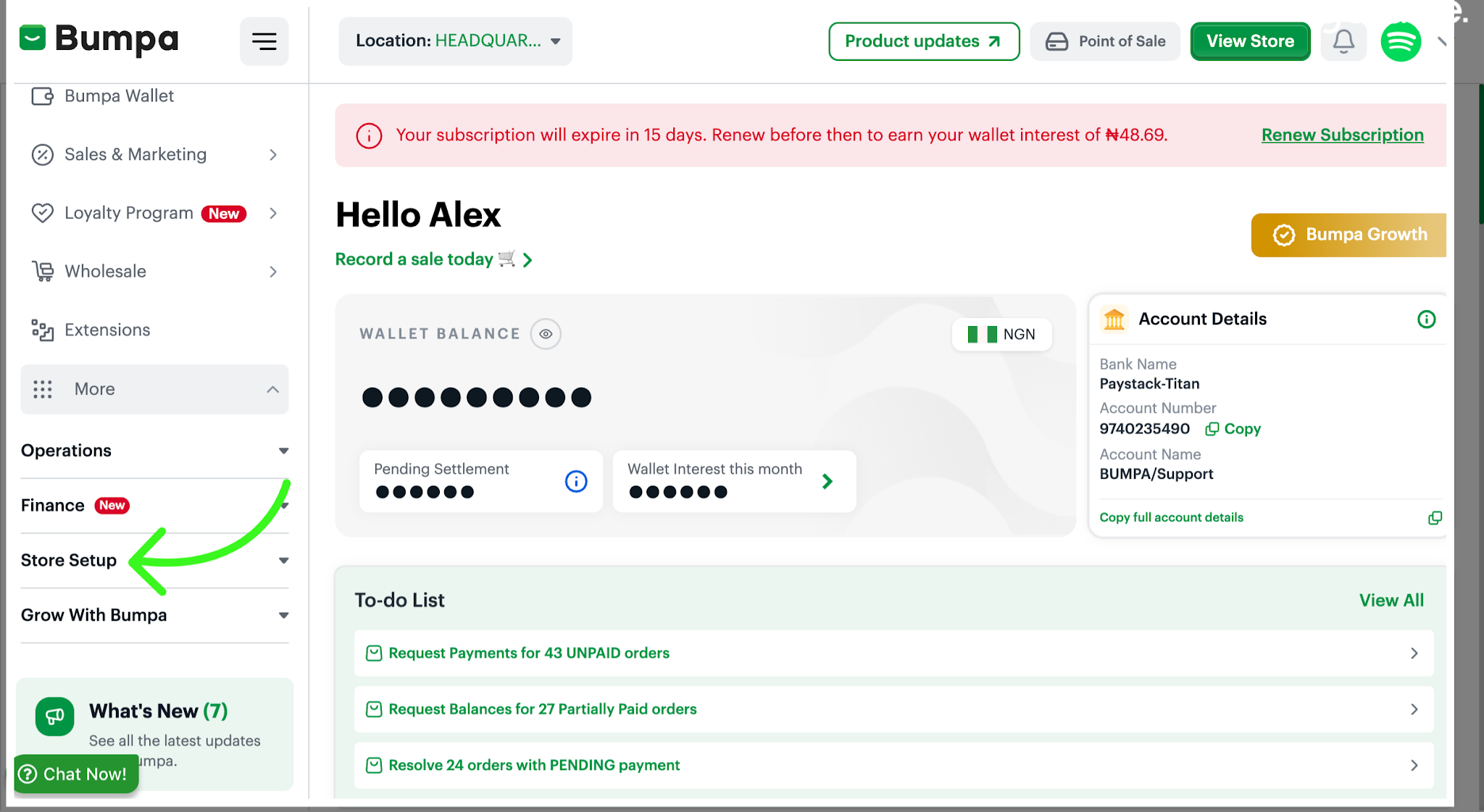
Navigate to Store Setup
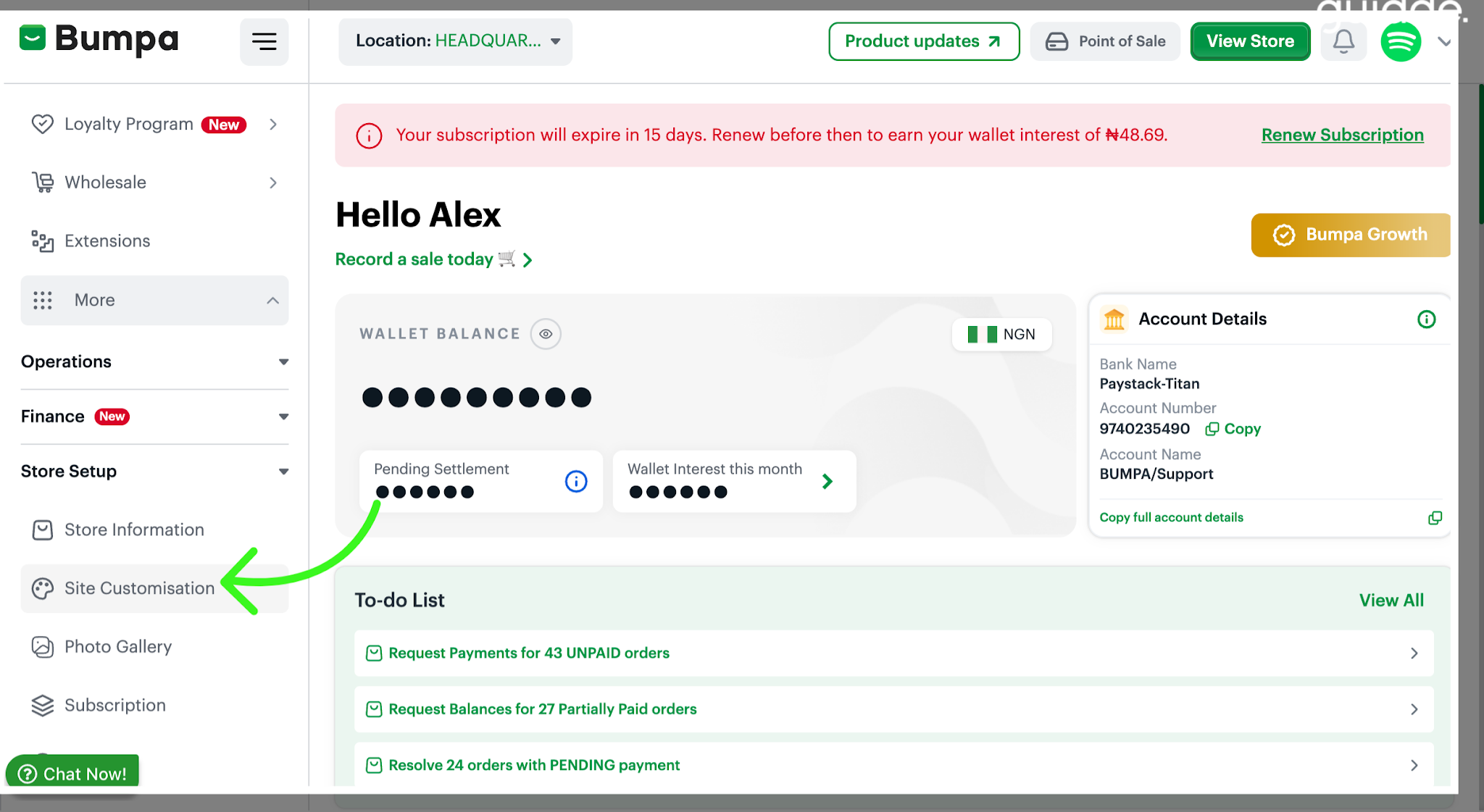
Navigate to the Site Customisation area to modify your website's appearance and features.
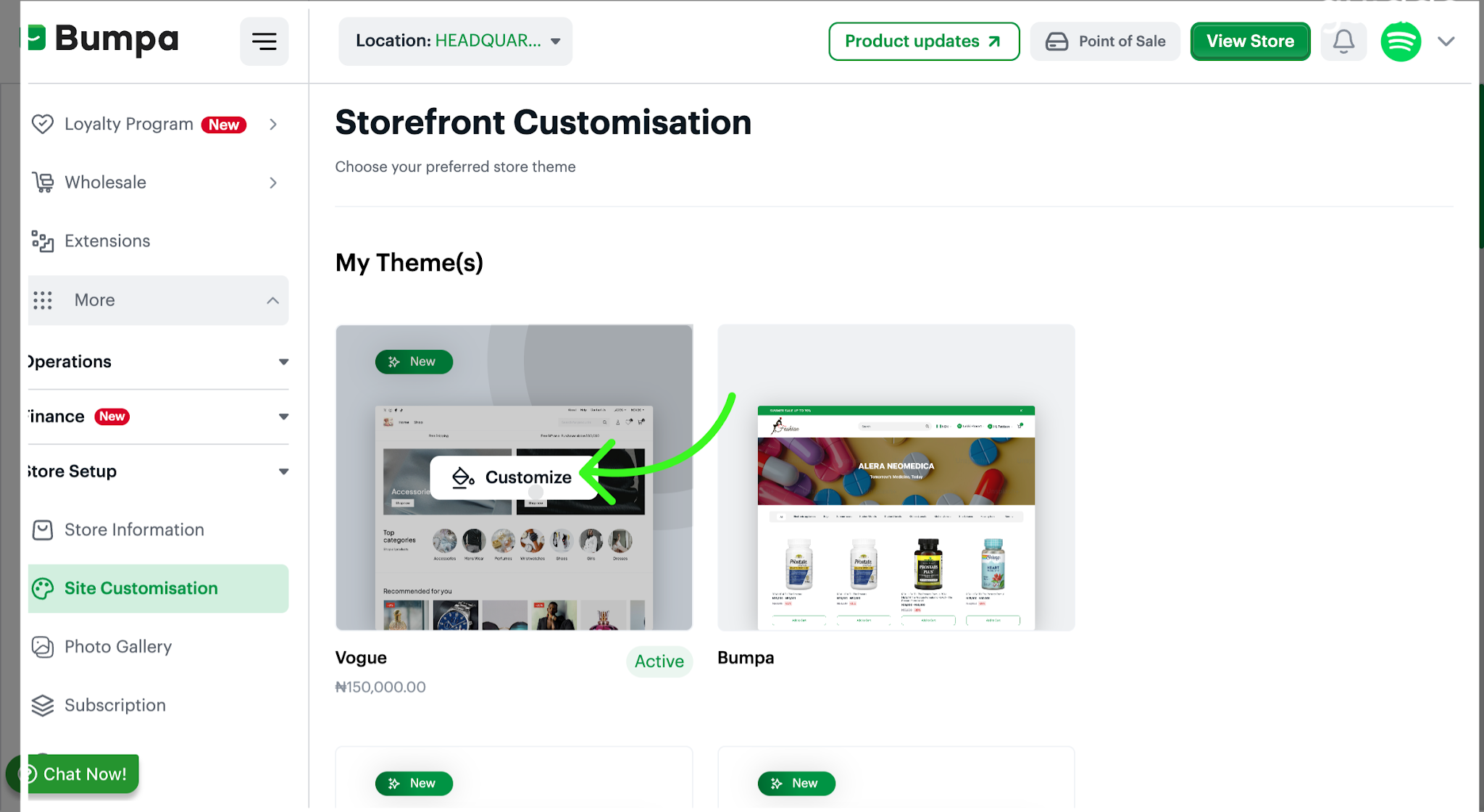
Click Customize on your available theme to access the newsletter feature
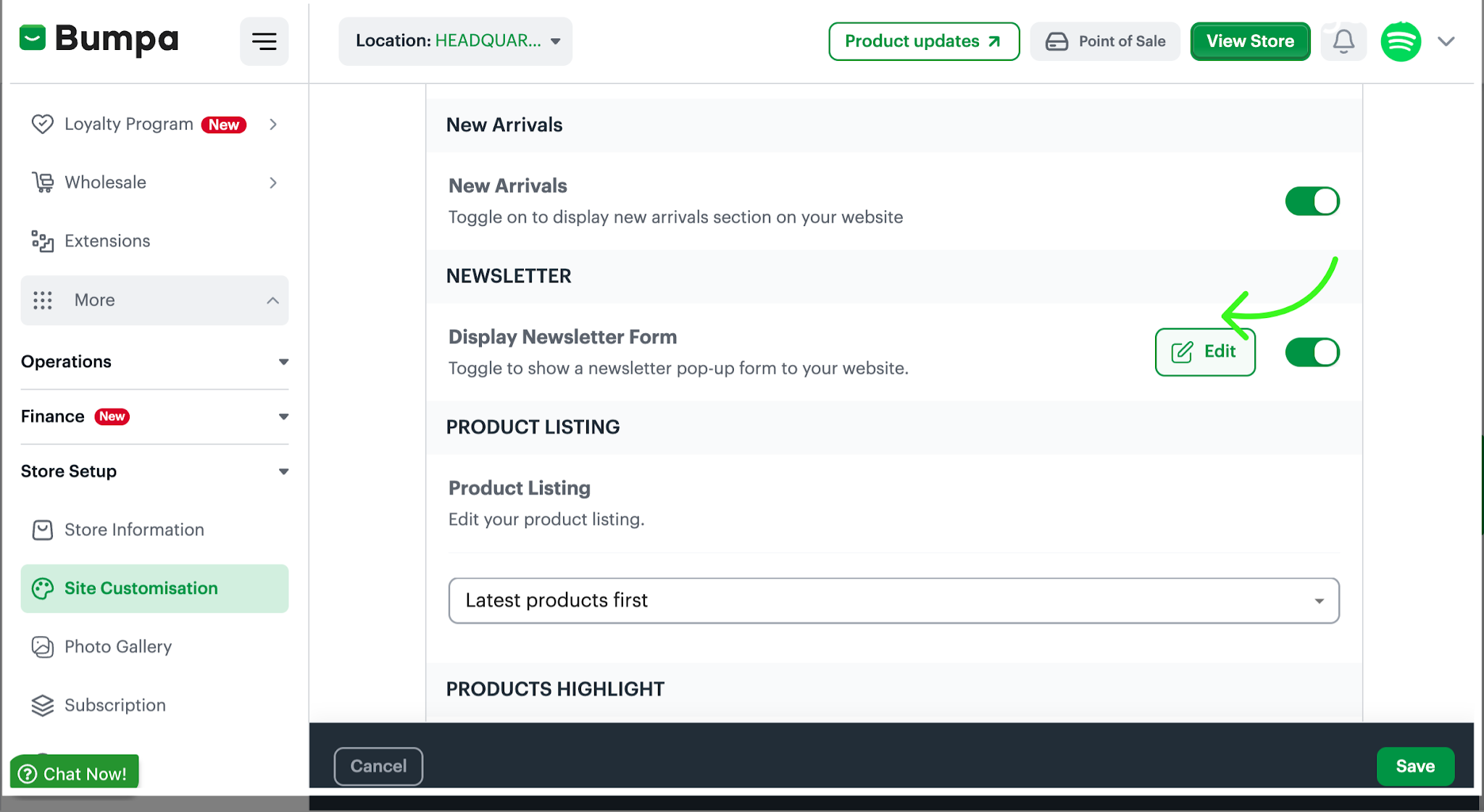
Toggle the newsletter form display option to enable the pop-up on your website. This allows visitors to see the form when browsing your store.
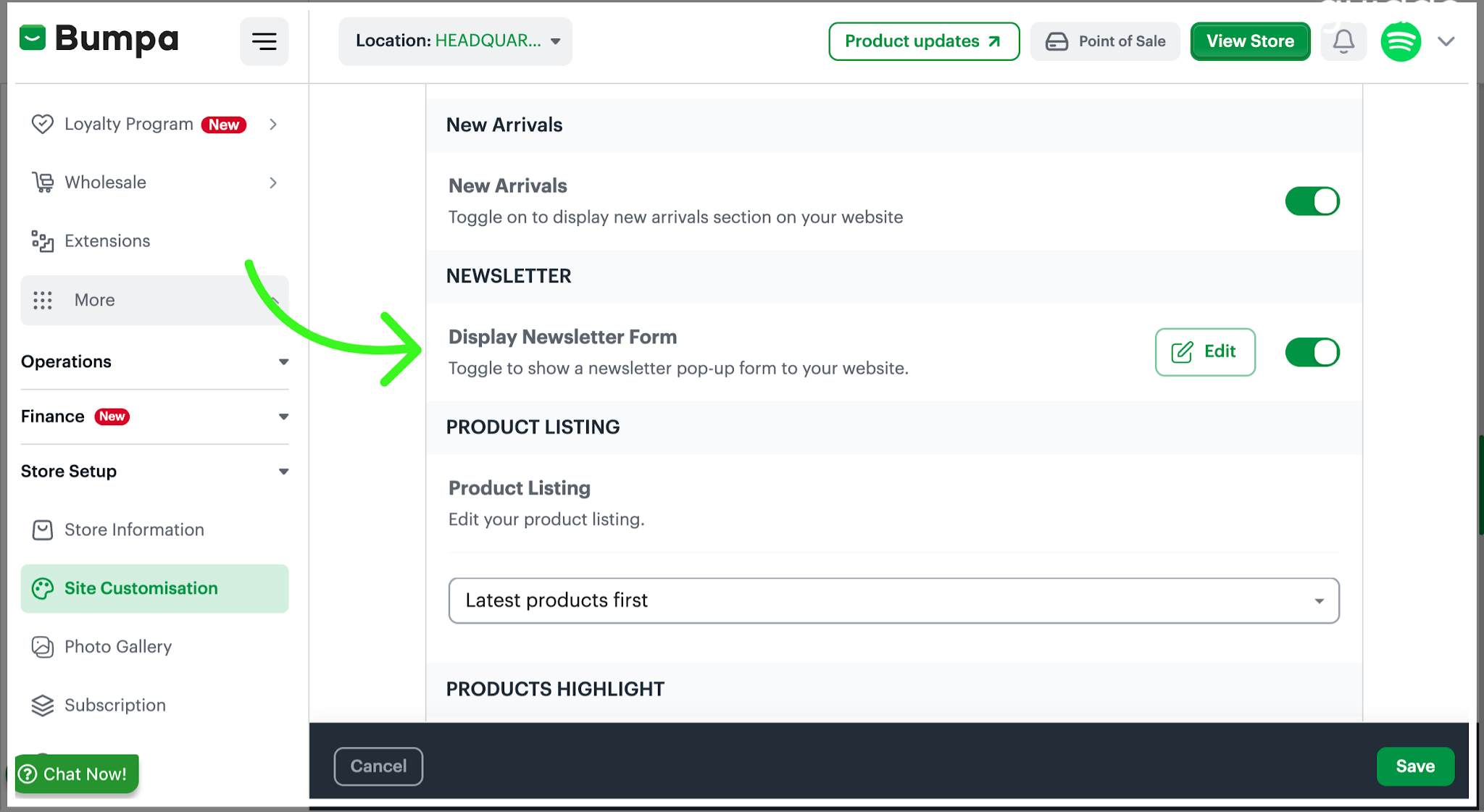
Click Edit to customize the newsletter form's content and appearance to suit your brand. Make sure the message clearly tells visitors what they can expect by subscribing, such as product updates, new arrivals, and special offers.
Upload an image that complements your brand and makes your newsletter pop-up more appealing
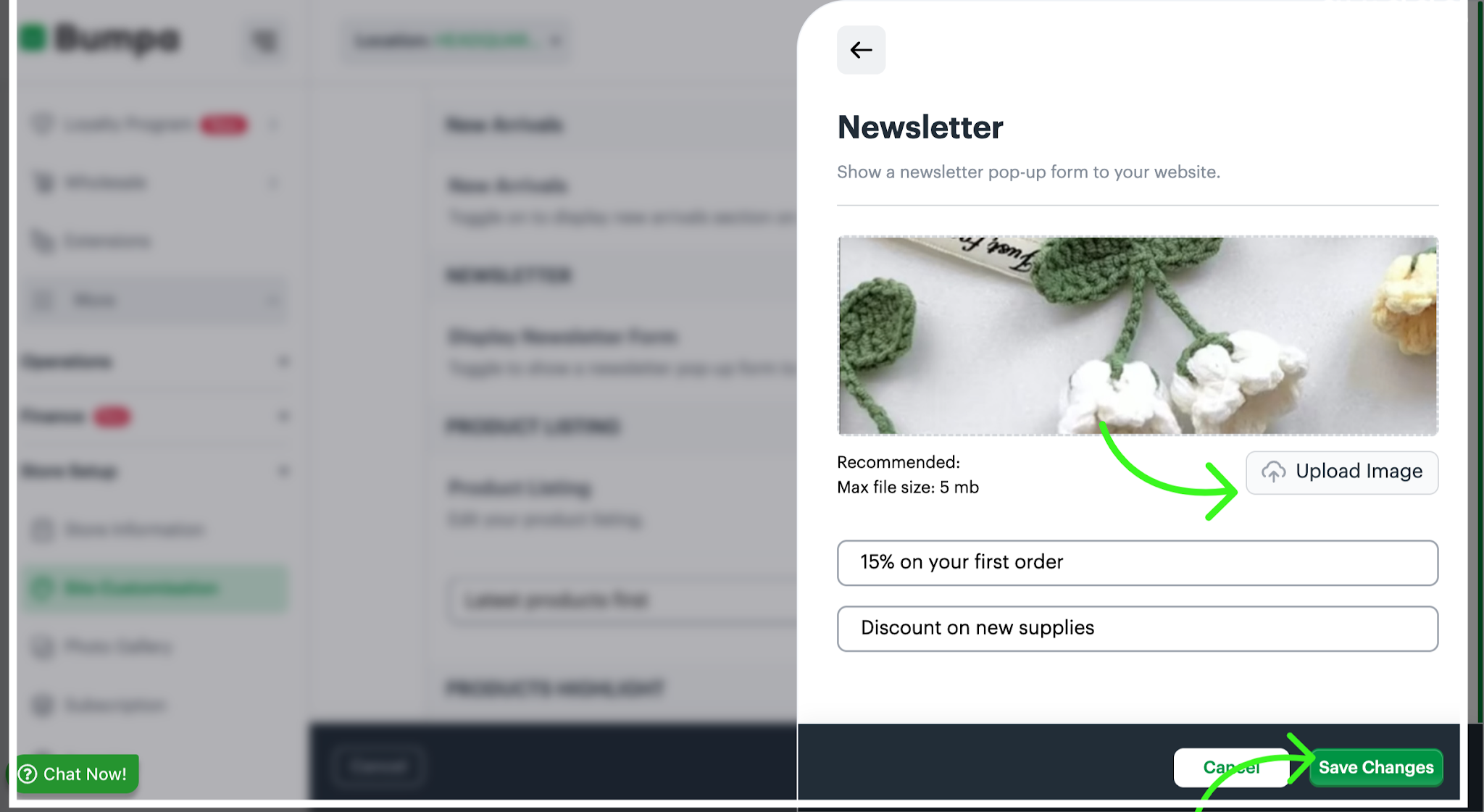
Note: Ensure the image file does not exceed 5MB
Once you've finished making your changes, click Save Changes to save your updates.
Your newsletter pop-up is now ready to help you connect with visitors to your online store!
How Customers Can Opt In to Newsletters at Checkout
Growing your mailing list is now easier with Bumpa's checkout email opt-in feature.
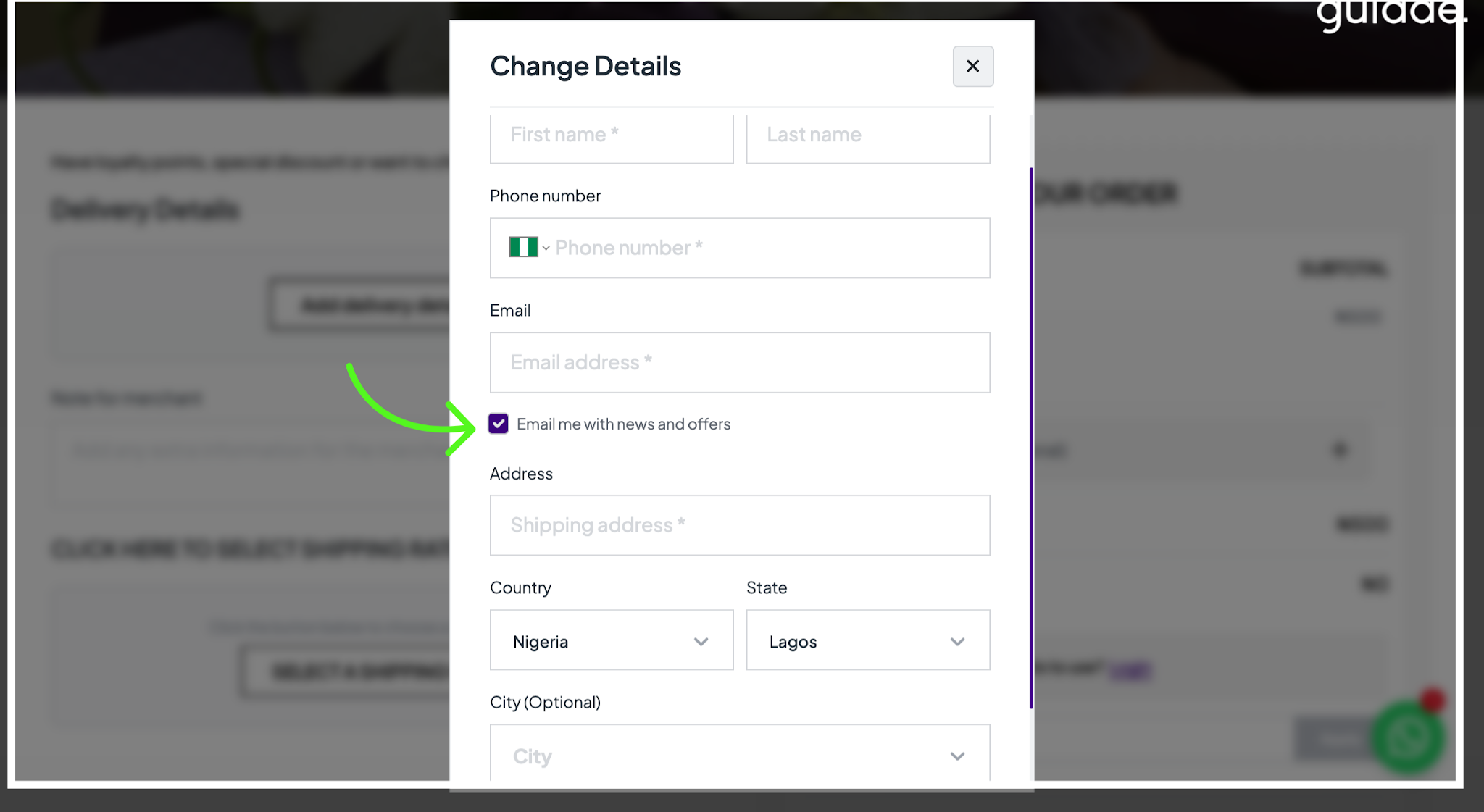
When customers shop on your online store, they can choose to receive news, updates, and promotional offers by selecting the optional “Email me with news and offers” checkbox during checkout.
This gives customers control over the emails they receive while helping you build a mailing list of people who are interested in hearing from your business.
You can use this feature to share promotions, announce new products, highlight special offers, and encourage repeat purchases.
How Customers Can Opt-in
Here's how customers can choose to receive your emails when placing an order on your online store:
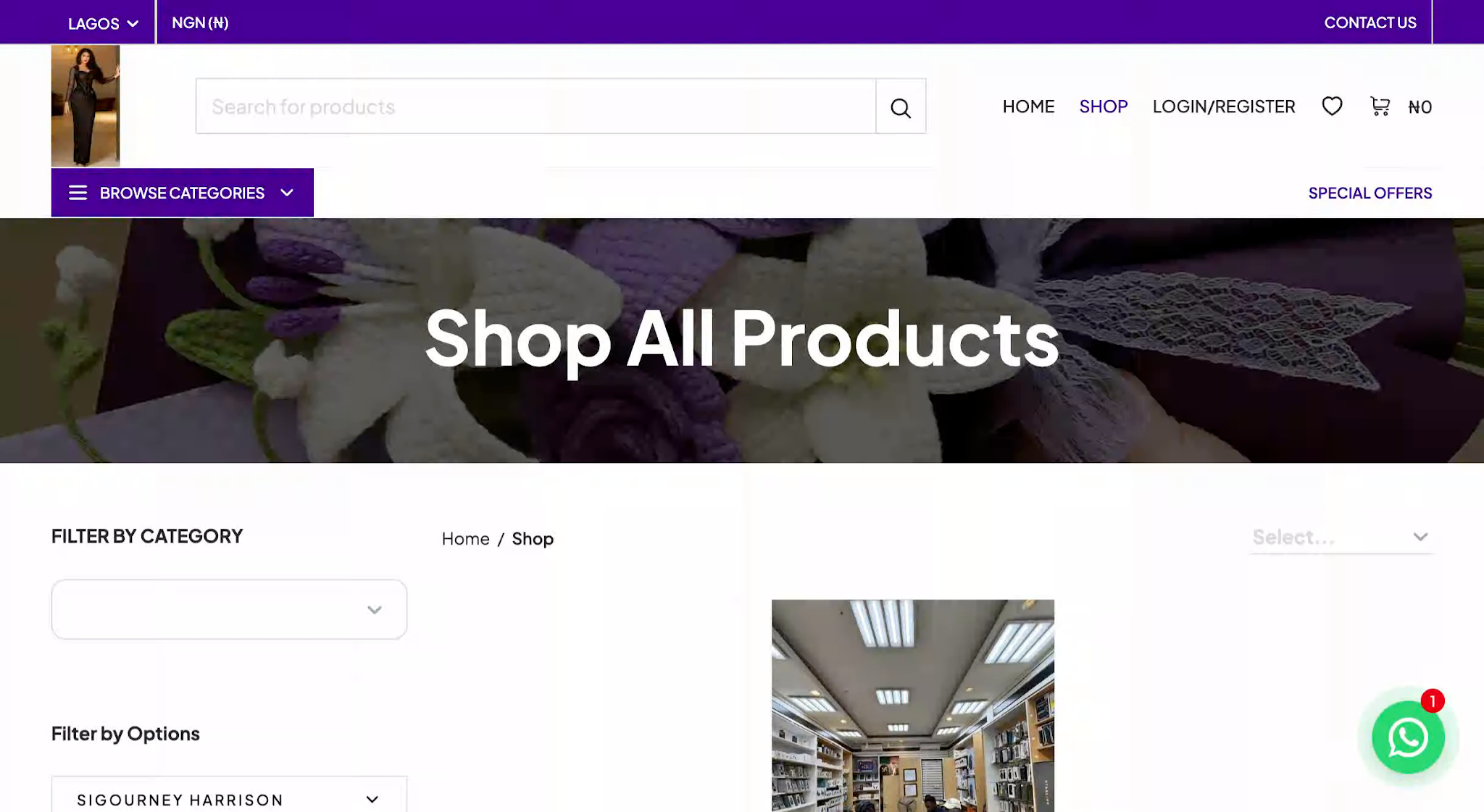
Customers visit your online store to browse the products available for purchase.
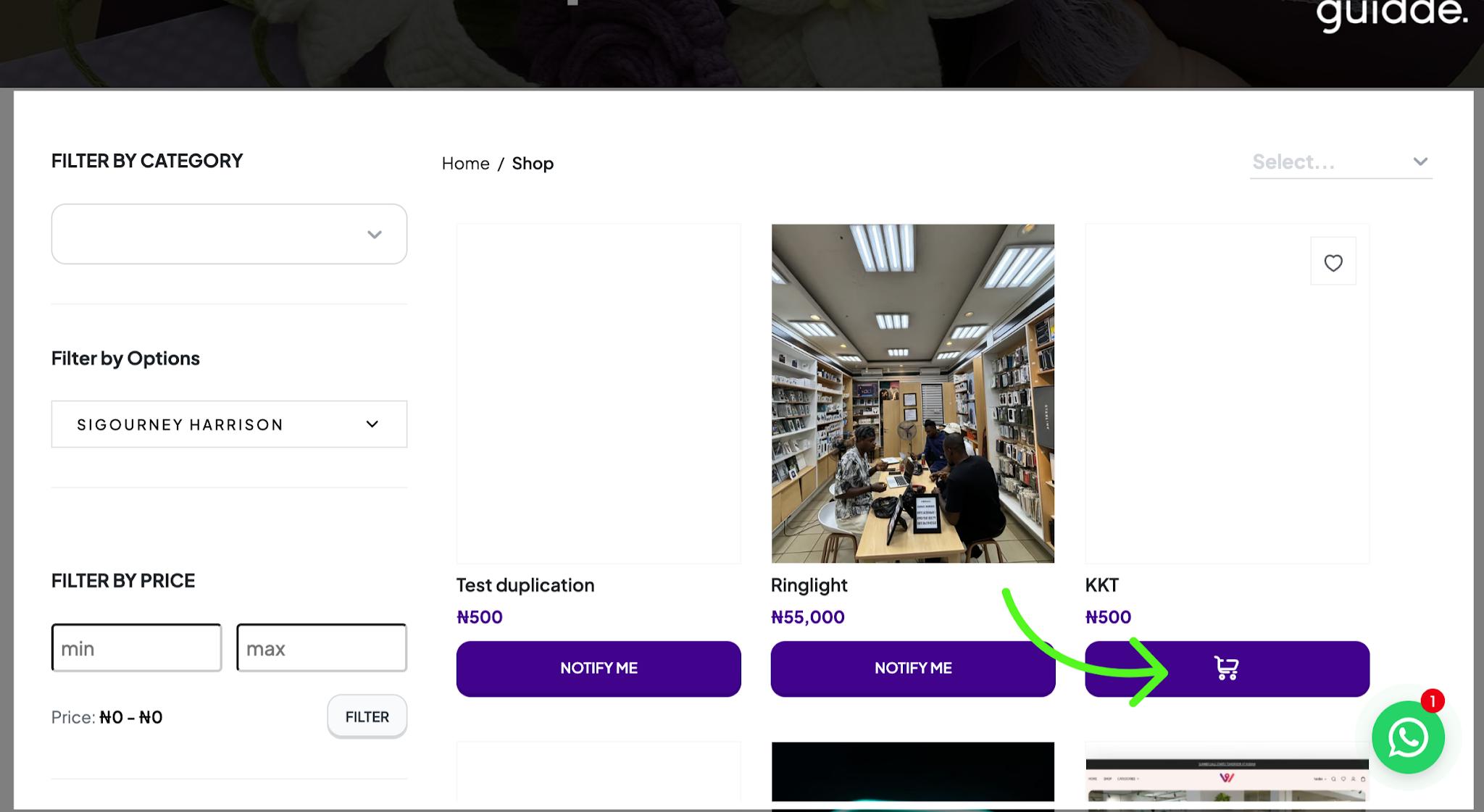
Customers choose their preferred products and add them to their cart.
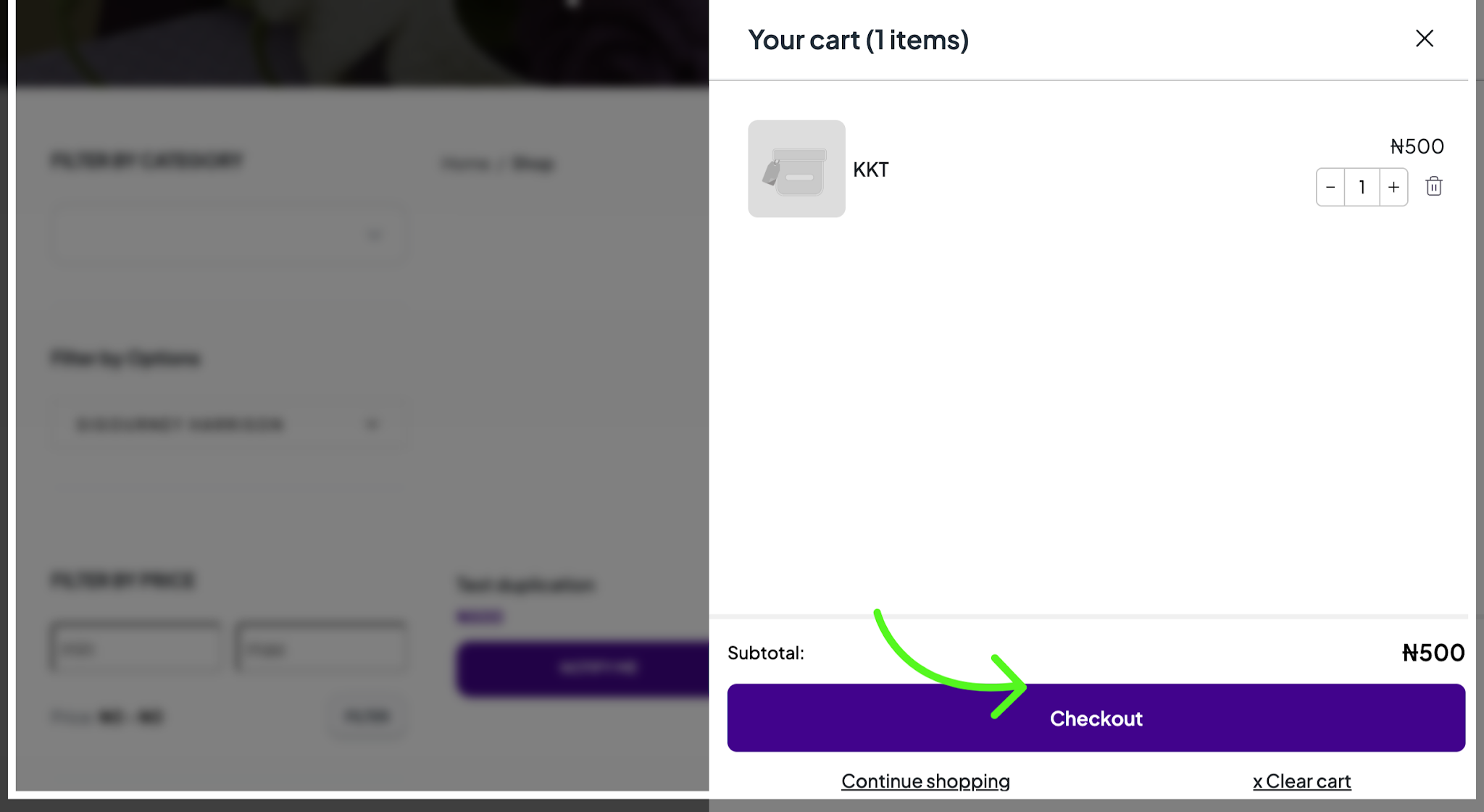
Customers open their cart to review their selected products before proceeding to checkout.
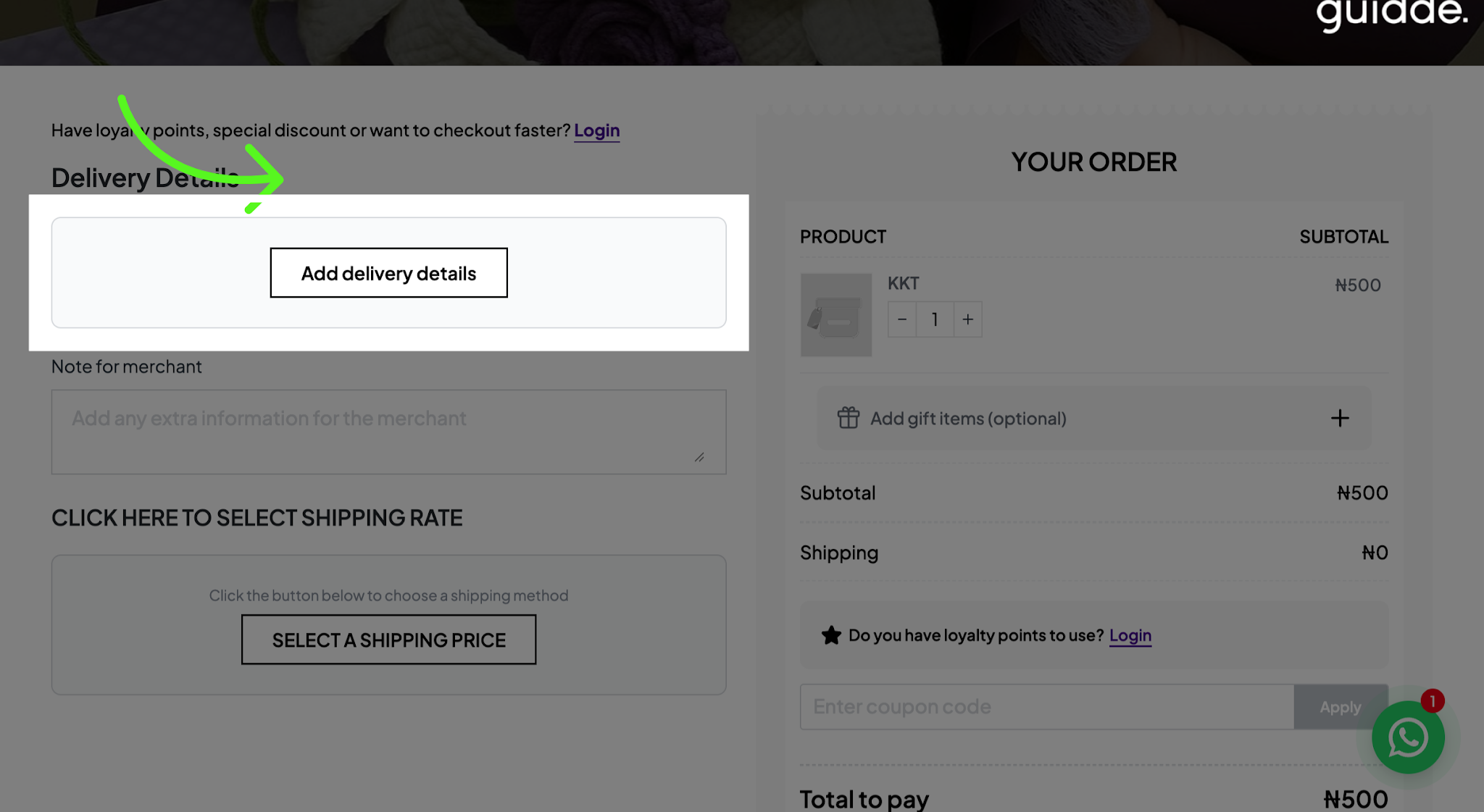
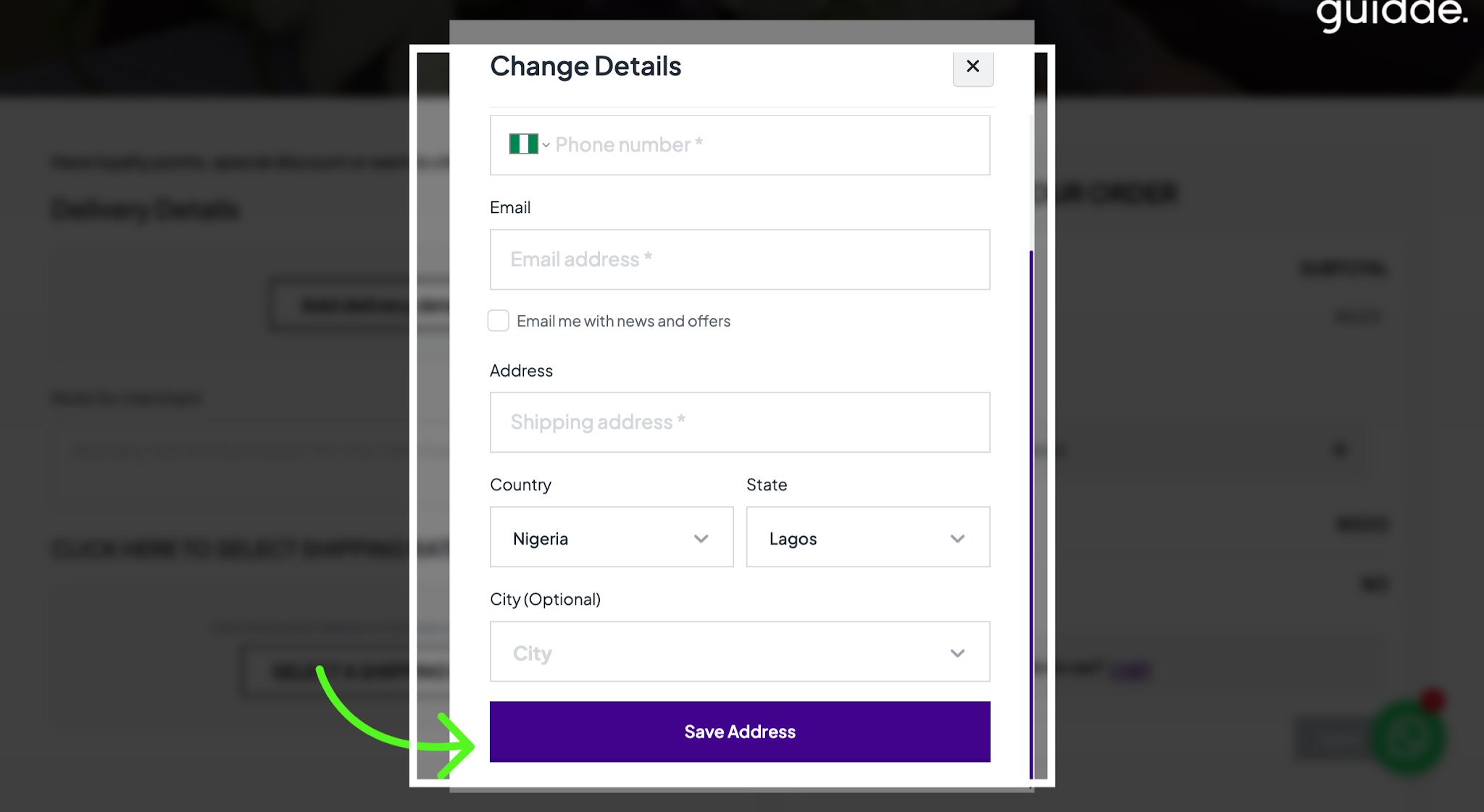
At checkout, customers click Add Delivery Details and enter the required shipping information to ensure their orders are delivered to the correct address.
While completing their delivery details, customers can tick the “Email me with news and offers” checkbox to indicate that they would like to receive emails from your business.
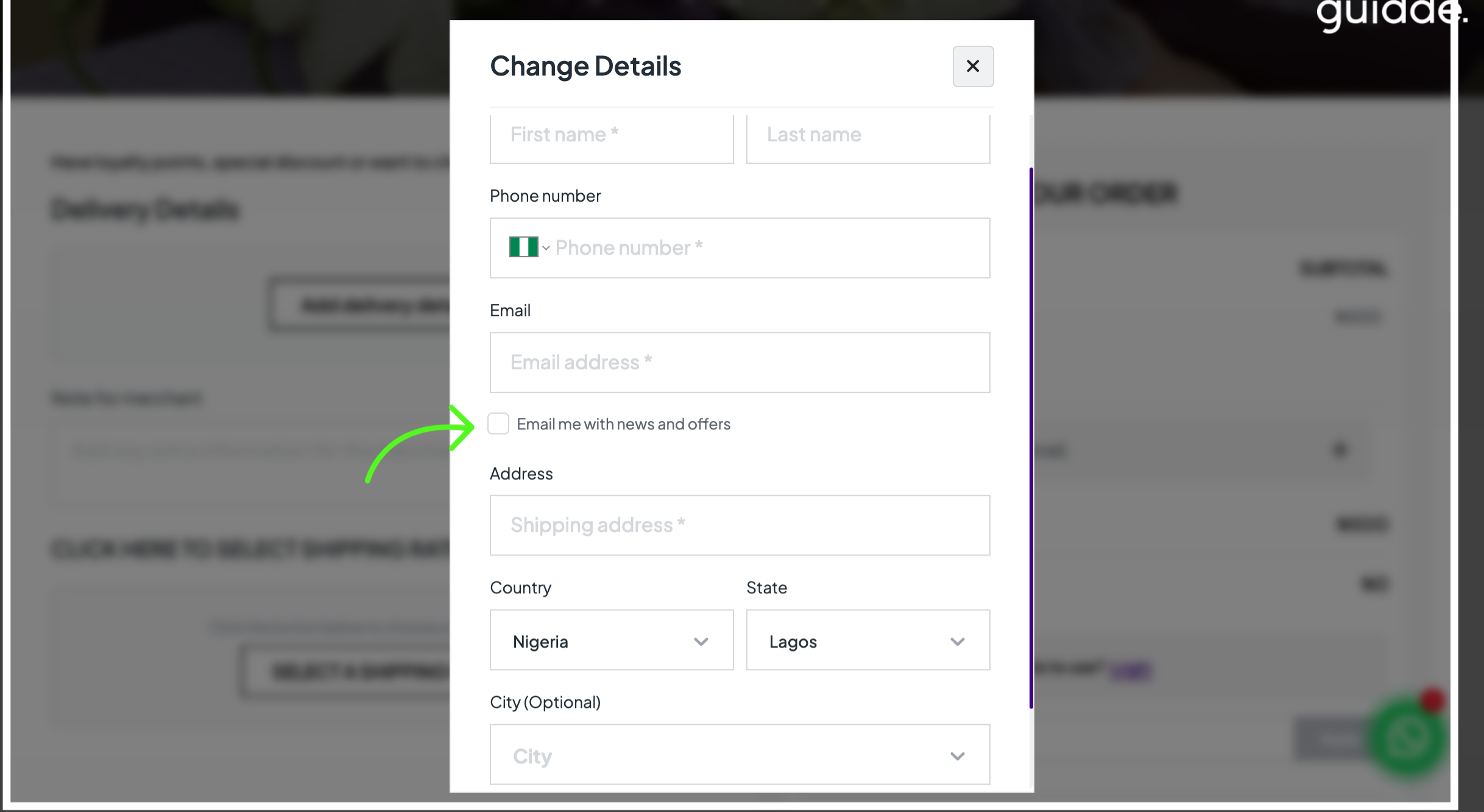
Customer unticks if they do not wish to receive promotional emails
After making their selection, customers click Save Address and proceed to complete their checkout.
Set up your newsletter pop-up, give it a look that matches your brand, and let customers choose to hear from you. It’s a simple way to grow your mailing list, share exciting updates, and keep your business in your customer’s minds!
Related Articles
Was this article helpful?
That’s Great!
Thank you for your feedback
Sorry! We couldn't be helpful
Thank you for your feedback
Feedback sent
We appreciate your effort and will try to fix the article