If you already have a domain name, you can easily connect it to your Bumpa store. This process involves you changing the A record address your domain records to Bumpa’s IP address via your domain registrar dashboard.
To complete this integration, you’ll need to add new DNS records to your domain registrar—the company where you purchased your domain (e.g., GoDaddy, Namecheap, etc.).
Please note that connecting your domain to Bumpa does not migrate your entire existing website (including contents and design). The integration only points your domain name to your Bumpa account. As a result, when customers visit your domain, they will be redirected to your Bumpa e-commerce website.
If you want to keep your original website while also using Bumpa, you can create a subdomain through your domain registrar. For example, you could create a "shop" subdomain (e.g., shop.yourbusinessname.ng) that links to your Bumpa store. This way, your main website stays intact, while the subdomain directs customers to your Bumpa website.
Steps to connect your existing domain name to your Bumpa Store
Log in to your Bumpa account at getbumpa.com/login.
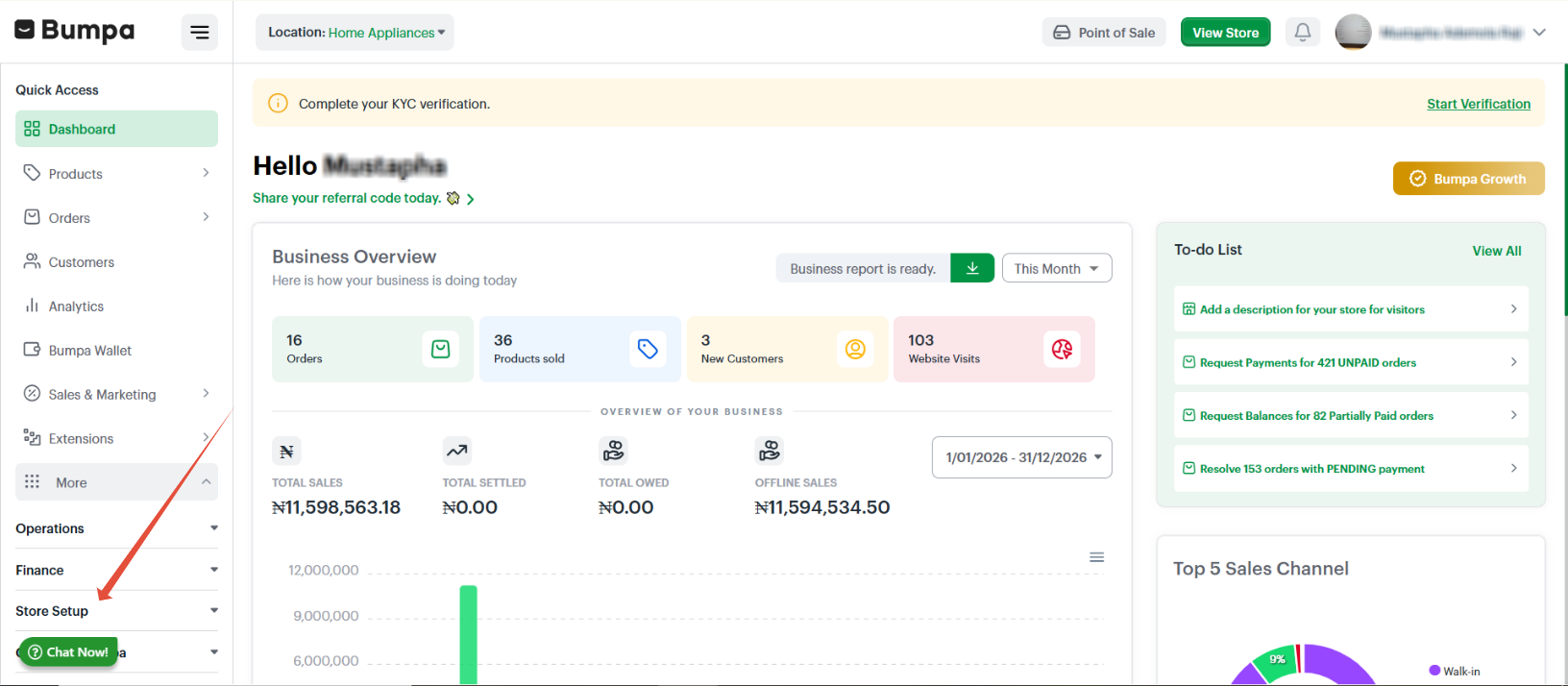
On the dashboard's left sidebar, click on Store setup
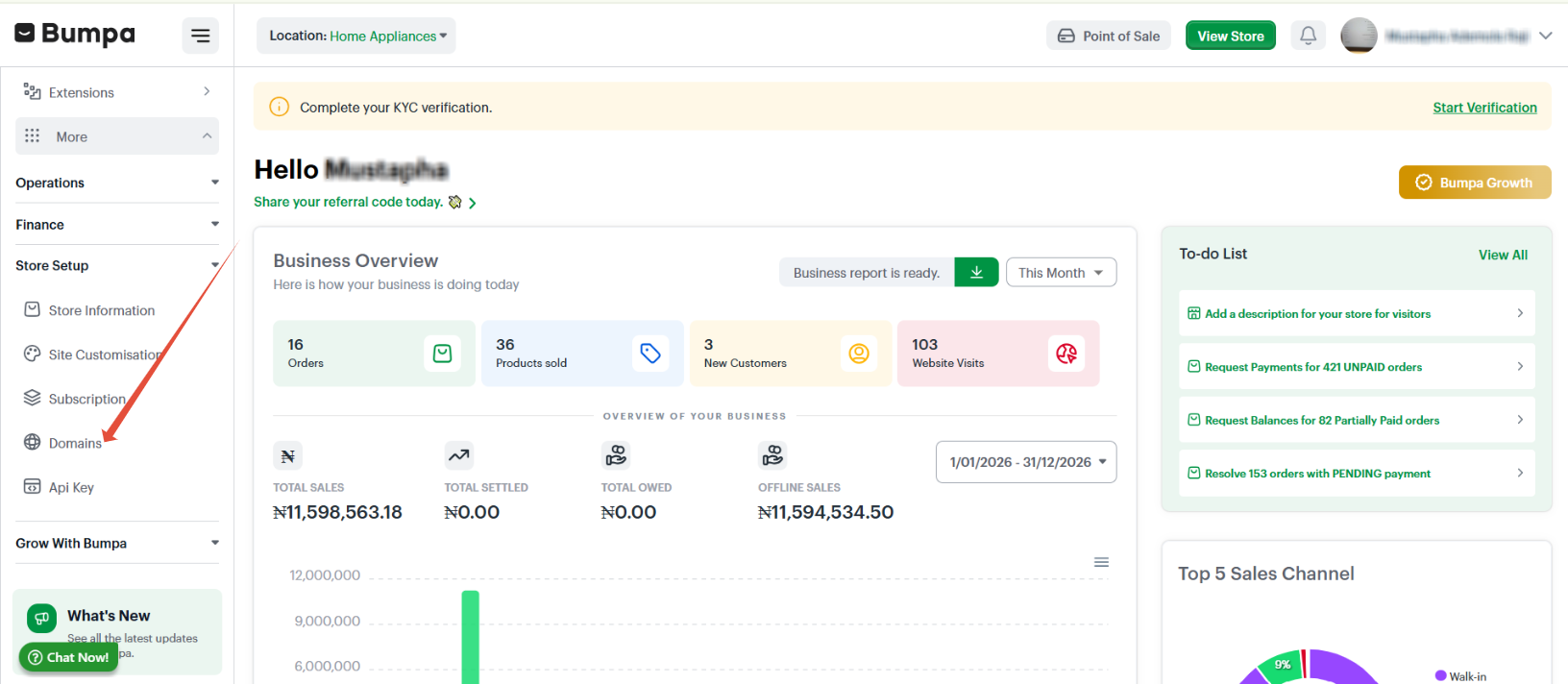
Click on Domains
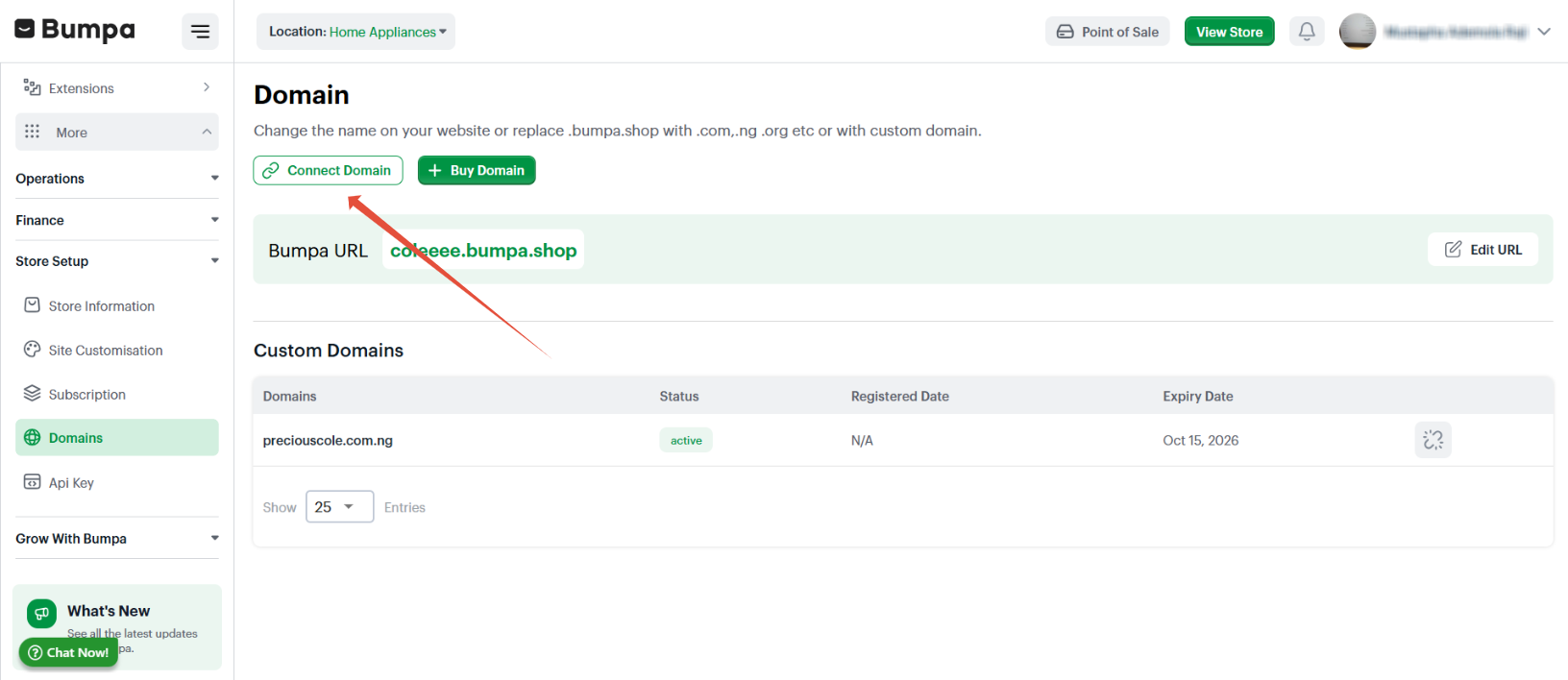
Click on connect domain
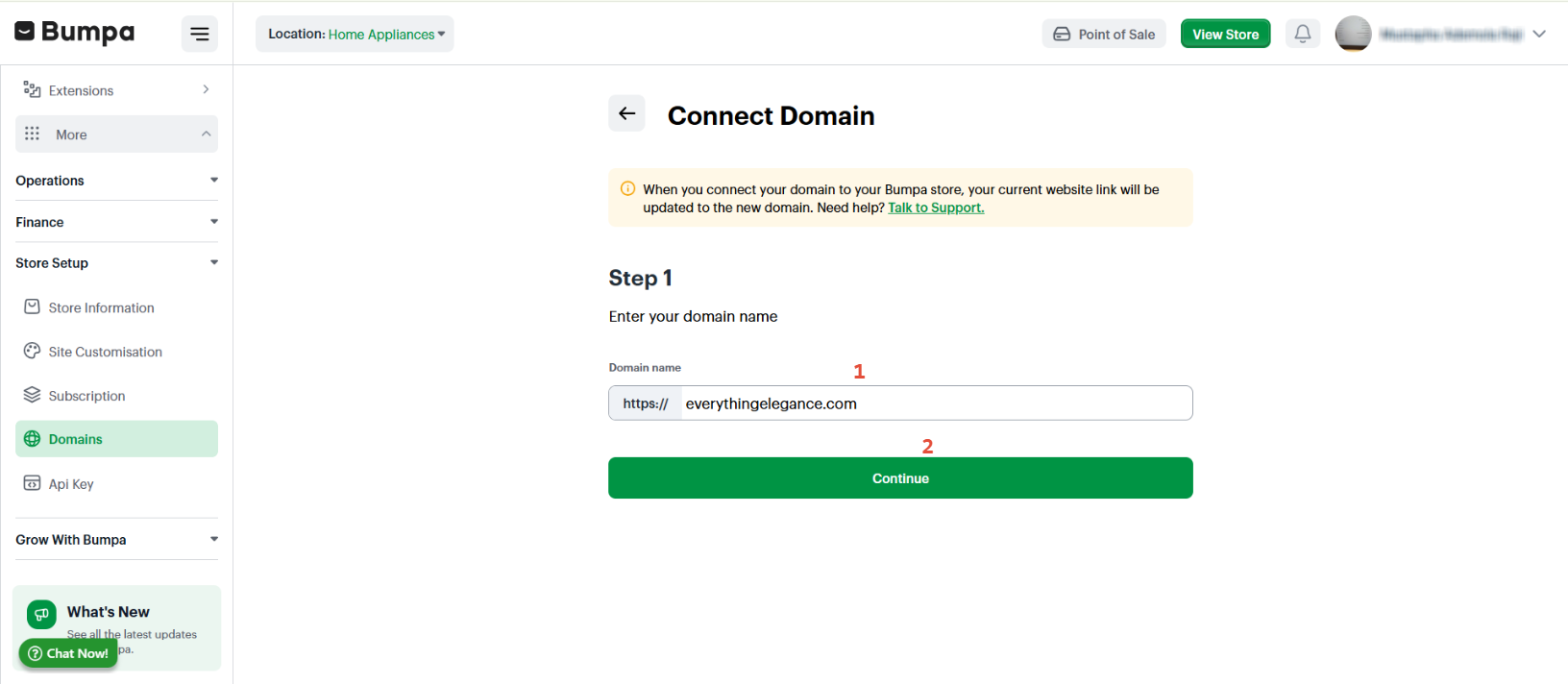
Input the full domain name and click on continue
- Copy the IP address and paste it in the A record on your domain registrar, then Click on continue
You have to login to your domain registrar and navigate to the DNS or domain records as follows
Record Type: A
Host Name: @
Address: 15.236.67.166
TTL: Automatic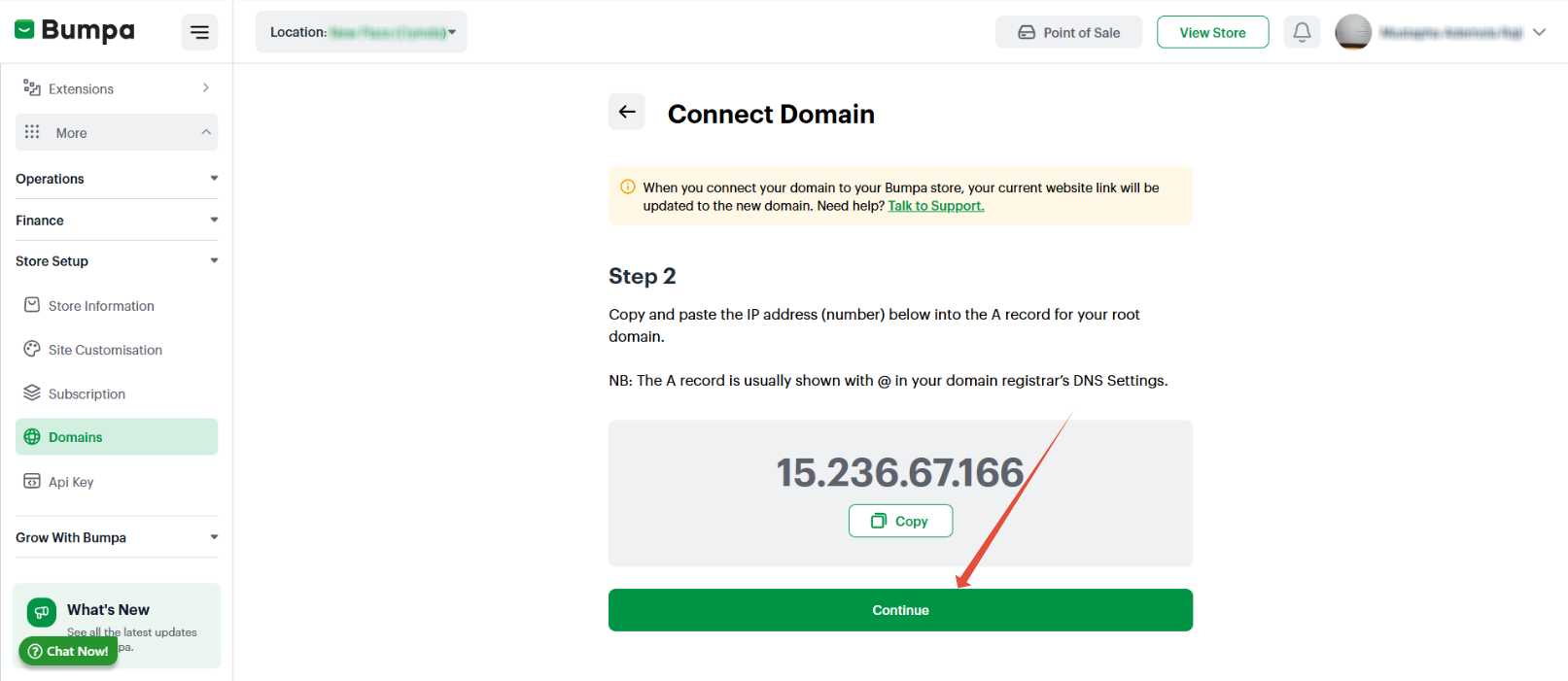
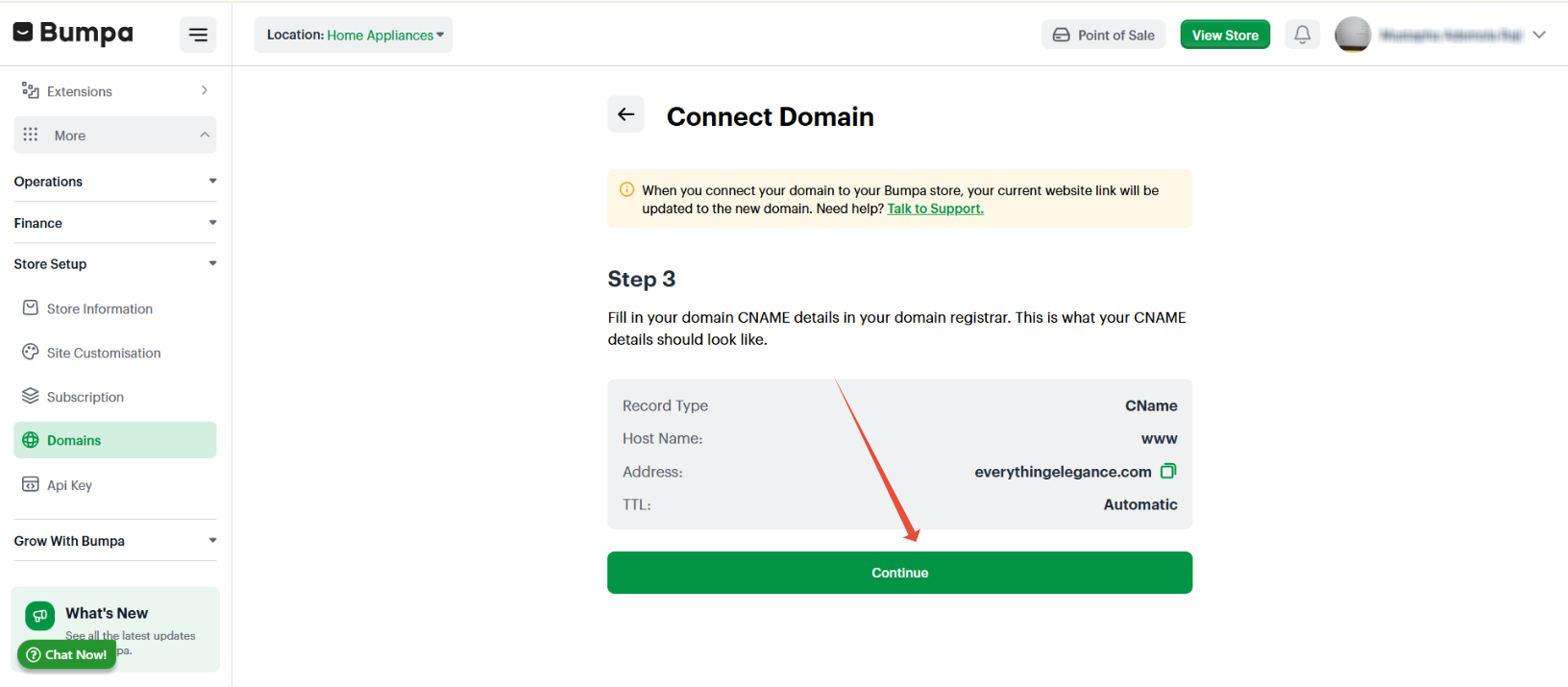
Fill out the CNAME record on your domain registrar as follows, then click on continue
Record Type: CNAME
Host Name: www
Address: your custom domain name (that is, the domain name you want to connect yo your Bumpa store)
TTL: Automatic
You'll get a success message once you click on the continue button to confirm that the connecting has been done properly.
For Sub-domain integration, input Bumpa's IP Address in the sub-domain record to point the sub-domain to your Bumpa store.Once you have completed the above steps, kindly email Bumpa Support with your custom domain or sub-domain and your current Bumpa URL and the Bumpa Team will complete your domain connection. This takes about 24-48 hours to be completed and your domain will redirect to your Bumpa store.
Was this article helpful?
That’s Great!
Thank you for your feedback
Sorry! We couldn't be helpful
Thank you for your feedback
Feedback sent
We appreciate your effort and will try to fix the article